



FabiRide Dash Pro The smart display for electric bikes
Most displays report. They read a number off your controller and draw it larger. Dash Pro reads the same numbers and then takes charge of them, so it does not only show what your bike is doing. It sets what your bike does next.
Sur-Ron · Talaria · E-TMX · Bafang · Riding Times · MATE · Torp · EBMX · SiliXcon · ASI · VESC · FarDriver · King-Meter · KT
Built in Lithuania. Three years in, and still shipping new features by wireless update.
Most displays report.
Dash Pro takes command of the bike.
Not a speedometer bolted on the side. Dash Pro reads what your controller is doing and changes what it does next.
Everything the bike is doing, as it does it.
Speed, power, motor and controller temperature, trip, assist level, regen. Watts, kilowatts, amps or energy per kilometre, whichever you think in.
It holds the bike to 25, 45 or any number you choose.
It can cap a bike whose controller cannot be reprogrammed at all, which is why bolt-on limiters for those bikes normally do not exist. Nothing is modified.
And hand it all back in one tap.
One tap in the app and full stock performance is back. Hold all three buttons on the bars and your limit returns for the ride home.
And when a ride goes wrong, the display acts.
Power cut, countdown on screen. Cancel from the bars and nothing happens. Do not, and your emergency contacts get a message with your location.
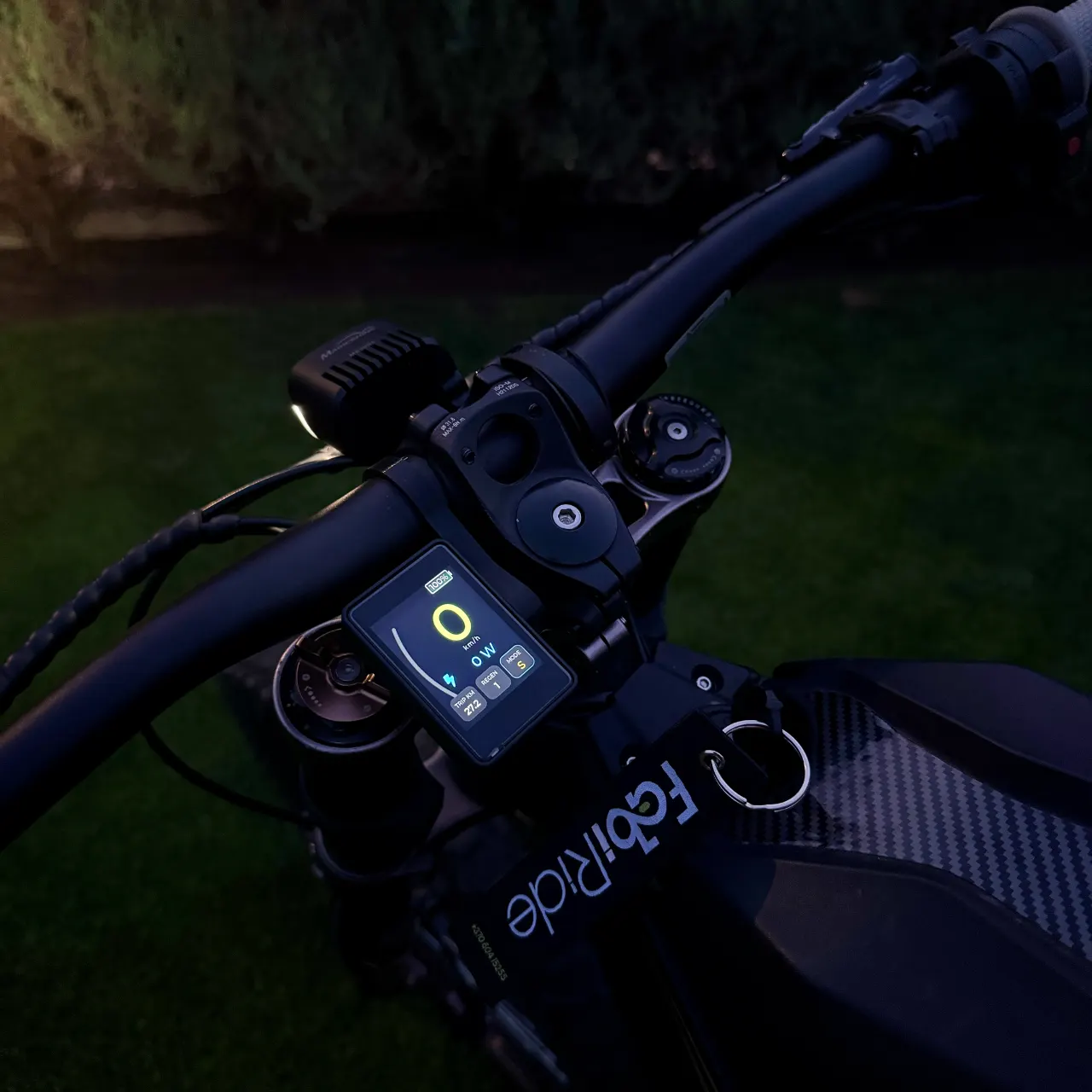
A live map on the bars, with your crew on it.
Swipe once from the ride screen and the display becomes a map: the roads and forest tracks around you, the line you rode in on, and every rider in your crew as a coloured dot. It turns with you and zooms itself to the road ahead.
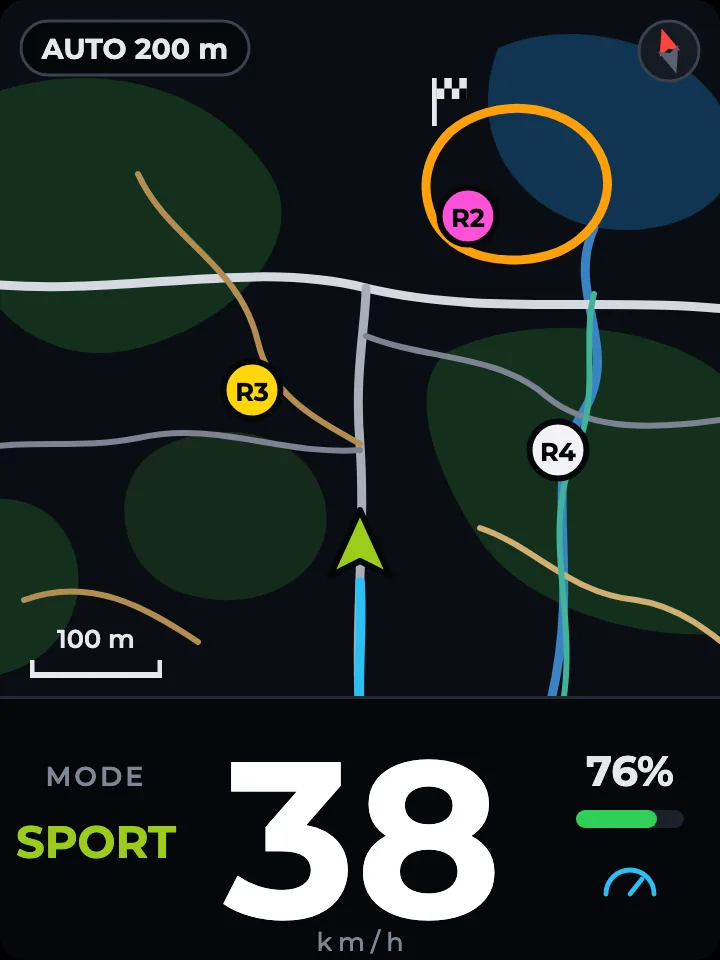
Your speed stays in view
Mode, speed and battery sit along the bottom, so the map can be your home screen for a whole ride. Prefer the map on its own, or taking turns with your dashboard? Both are one setting away, in a dark style for night and a light one for bright sun.
- Your crew
- Everyone riding with you shows up with their initials. On the phone you also see how far away each of them is, with a talk button beside every name.
- Every turn
- Shortly before a turn that needs a decision, a small map of the junction opens by itself: the road you are on, the one to take and where you are. Through the turn, it closes.
- Your route
- Choose roads, bike paths or sidewalks, search for a place or drop a pin, and check the distance, the time and every turn before you set off.
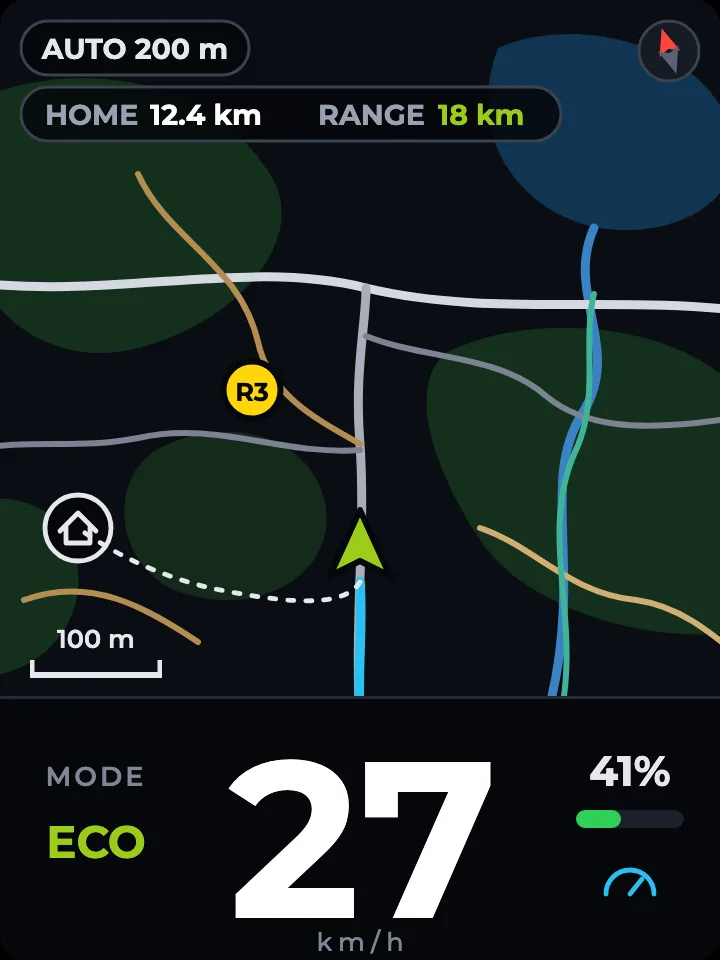
Can I make it back?
The map shows HOME, the distance back to where the ride started along the way you actually came, right beside the range your battery has left. Switch on the alert and the display tells you to turn back while there is still a reserve.
- Tracks
- Trim any recorded ride to the stretch you love and save it as a track. Keep it private, share it with friends or publish it, and find the tracks other riders made near you.
- Race it
- Ride a saved track and a live banner on the display tells you where you stand against your best. The leaderboard shows every time with its speed, power and bike, under the nickname each rider chose.
Range is an estimate learned from your own rides. Cold weather, wind or a steep way home all use more, so keep a reserve.
Your jumps and wheelies, measured and kept.
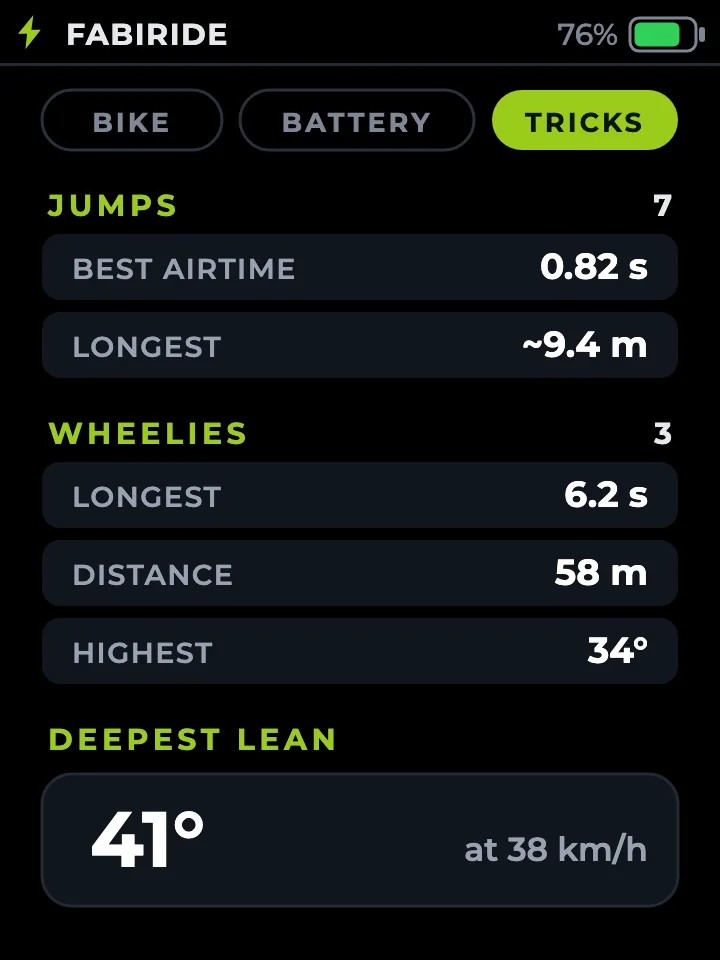
The display feels the bike leave the ground and the front wheel come up. Land a jump and it shows your airtime and an estimated distance for a few seconds. Put a wheelie down and it shows how long, how far and how high. Your deepest lean in a corner is kept too.
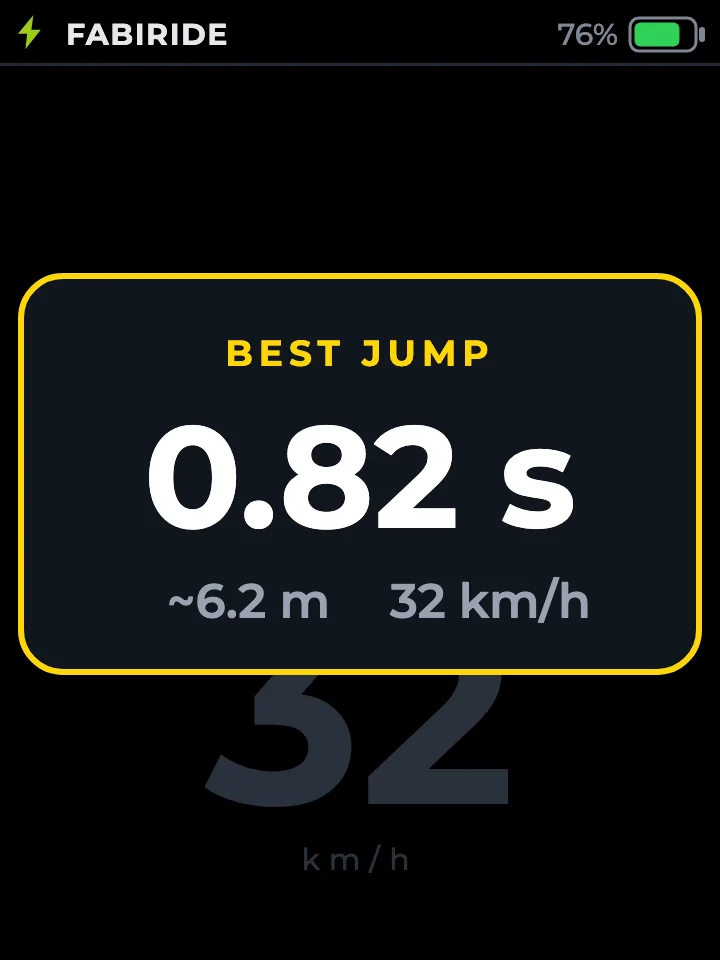
Gold means a new best
Beat your best of the day and the pop-up turns gold. Swipe down to TRICKS for the totals and bests since you switched on. Rather not be interrupted? Switch the pop-ups off and every trick is still counted.
- Achievements
- Every trick goes into the app with your personal bests, pinned on the map where it happened, together with what the bike was doing: speed, power, battery voltage and current, temperatures and charge.
- Phone at home
- The display keeps your latest tricks and hands them over the next time your phone connects.
- Share it
- Send a record to a friend, open the spot in your maps app, or jump straight to the ride it came from.
Jumps and wheelies belong on closed tracks and private land. Distances are estimates worked out from your speed and the time in the air.
25 km/h, 45 km/h or any limit you choose.
25 km/h for cycle paths and new riders. The bike holds it, nothing on it is modified, and turning the display off leaves it exactly as it was.
45 km/h for the road, or any other number you like, with power aggressiveness control to match. Save the road setup and the off-road one as riding modes and move between them with one button.
Full stock performance, back with one tap in the app. On controllers that accept new settings it goes further and raises the factory ceiling.
-
25, 45 or your own number
25 for a cycle path, 45 for the road, or any speed of your own, with power aggressiveness control to match. Change it whenever you like.
-
Back on in two seconds
Hold all three buttons for two seconds and your limit is back, straight from the bars. Lifting it is only ever done in the app, so a knock on the bars cannot undo it.
-
Even on locked bikes
SurRon Light Bee X and Talaria Sting ship with a controller nobody can rewrite. Dash Pro holds your number in real time instead, whatever the controller.
Open settings are for closed roads, private land and off-road use. Speed rules for public roads vary by country and by bike class, and riding within them is the rider’s responsibility. On a shared bike, the owner decides whether a rider may lift limits at all.
Wheelie control, traction control and cruise control, running on the bike.
Every assist runs on the bike itself, in real time. When two of them want to reduce power at the same moment, the most cautious one wins. They never fight each other.
-
Wheelie control
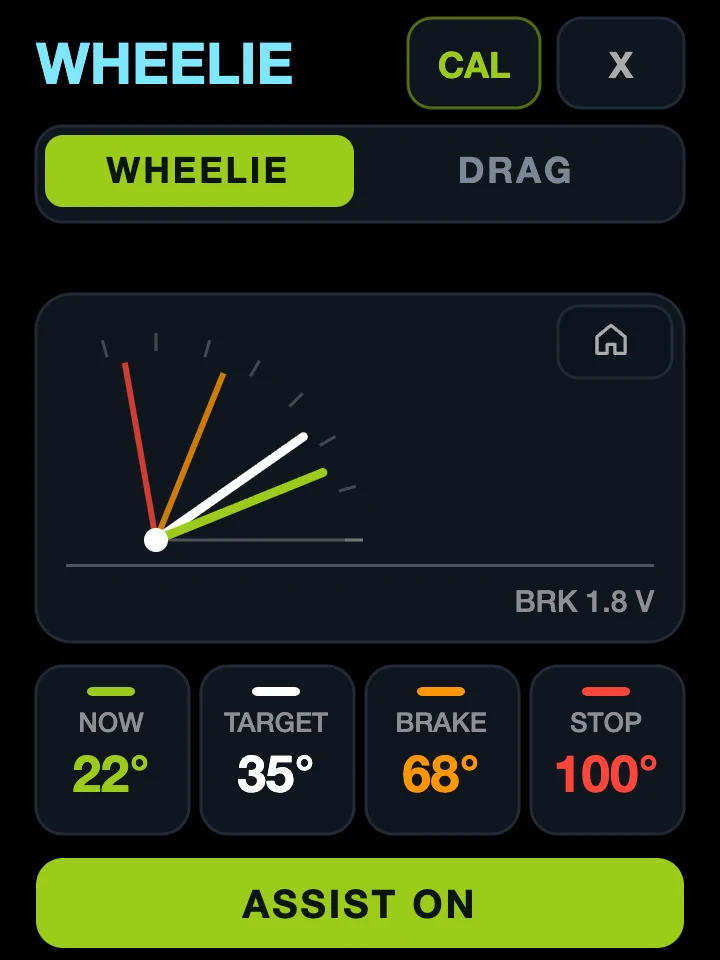
Dash Pro senses your lift angle continuously. Past your chosen angle it eases power back; past your maximum it applies the brake for you. Set the angle, the limit and how firmly the brake comes in.
-
Drag anti-flip
A launch mode. Power trimming starts much earlier and the brake stays out of it until a genuine emergency angle, so you get maximum drive off the line.
-
Traction control
Catches the rear wheel breaking loose and eases power until it hooks up again. No extra sensors. Adjustable sensitivity, with a live readout so you can see it working.
-
Cruise control
Holds a set speed with the throttle released, nudged up or down from the bars. It releases on the brake lever and only the brake lever, so regen never drops your cruise.
-
Auto-hold
Stopped on a slope? Squeeze the brake fully and let go, and the bike holds itself still until you open the throttle. On SiliXcon and ASI bikes.
Throttle response
Reshape how throttle position becomes power. Soften the first part of the travel for wet roads or a nervous rider, or sharpen it for the track. Straight one-to-one is the default, and it is one drag away at any time.
Where your brake lever is a variable regen control, the same shaping applies to braking: gentle and progressive, or immediate and strong.
Drag the curve, or use the arrow keys. Home resets it. Available on every controller family except Bafang.
Linear · one to one
Crash detection with SOS: what the display does when you go down.
Hard cornering is filtered out, so a spirited ride never sets it off. A real crash does, and these five things happen in the order you read them.
-
Detect
The display reads the impact and confirms it against the way you were riding.
-
Cut the power
Power goes to zero and regen stops. On SiliXcon systems the bike alarm sounds as well.
-
Count down
A countdown fills the screen. You choose how long it runs.
-
Cancel from the bars
The countdown pauses the moment you start cancelling, so a fumbled glove does not cost you.
-
Contacts alerted
Message and email with your location, to as many contacts as you add. Your phone can call the first one.
- Rider controls
- A damaged or stuck sensor is caught immediately, output is held safe, and you get a message on screen instead of a surprise. It will not clear until the fault is gone and you are stopped.
- Faults
- Full-screen messages in plain language, not codes you have to look up. Multiple issues cycle through, and they clear themselves the moment the fault does.
- Temperature
- Motor and controller temperatures watched against warning and cut-back thresholds you set yourself.
- Phone as key
- Walk up and it unlocks, walk away and it locks. Set the range, decide whether the bike works at all without an authorised phone, and keep a backup code.
Per-rider speed limits and power aggressiveness control, enforced on the bike.
The same bike can be a 25 km/h learner’s machine for your child and a full-power one for you. Nothing physical changes. The bike simply knows who is riding it.
They cannot undo it
The limits live on the bike, not in their app. Turning the phone off, going offline, reinstalling, borrowing a friend’s phone: none of it lifts them. And it applies only to them. The moment you ride the same bike, your full performance is back.
- Raise them
- Start at 25 km/h and 2 kW, move them up when they have earned it. From your phone, from anywhere, in seconds. The bike does not need to be in front of you.
- See the rides
- Every trip they take appears in your history with the route, the speeds and the distance, so you can have a real conversation about it rather than guessing.
| Limit | Beginner | Advanced | Pro | Custom |
|---|---|---|---|---|
| Top speed | 25 km/h | 60 km/h | Yours | Set it |
| Power | 2 kW | 6 kW | Yours | Set it |
| Riding modes | Gentle only | Two | All | Choose |
| Wheelie assist | Off | Off | On | Choose |
| Cruise control | Off | On | On | Choose |
| May lift limits | No | No | Yes | Choose |
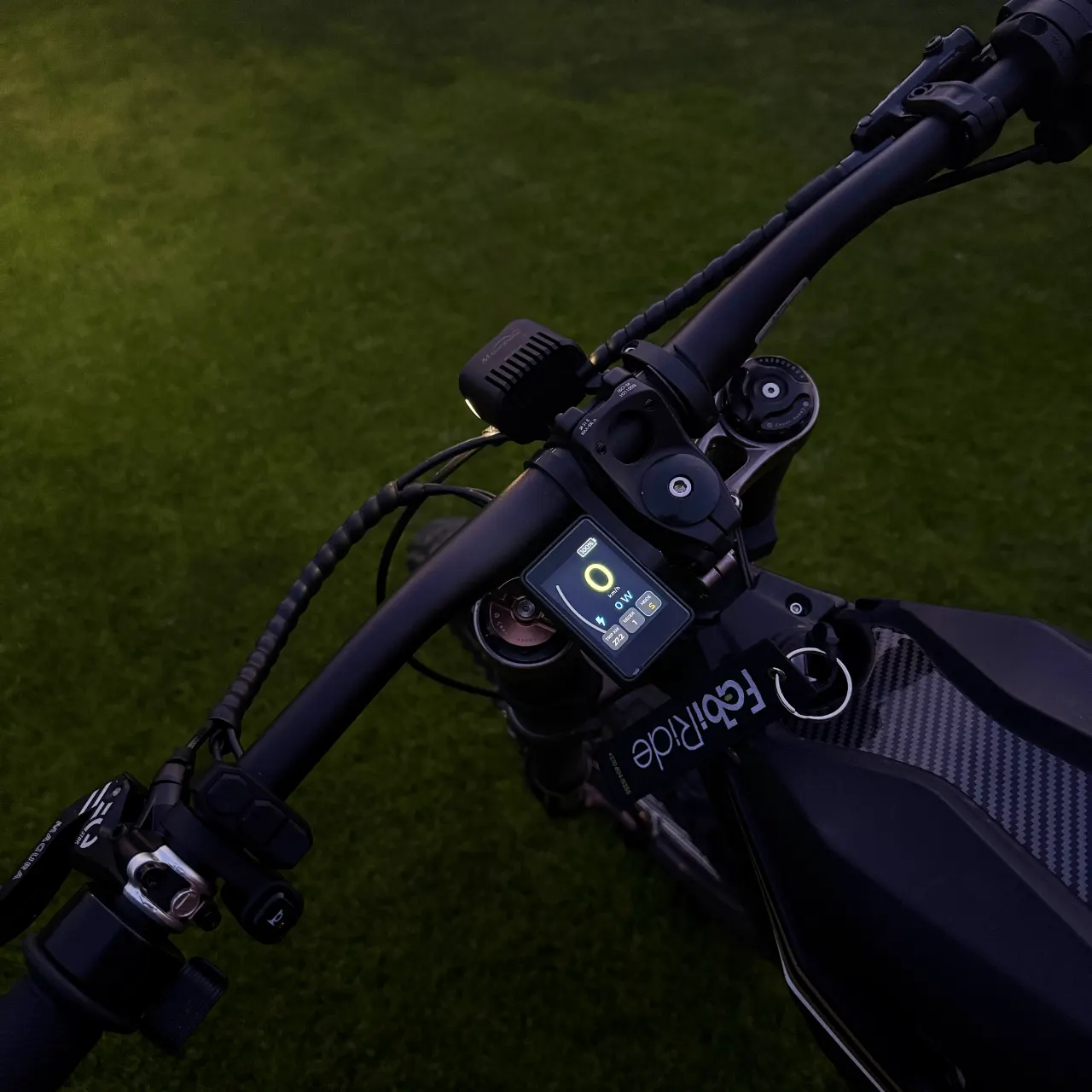
A colour touchscreen you can read at speed, in daylight and after dark.
Portrait, on any bar. Bright enough to read at noon and dim enough not to blind you at night.
Fourteen dashboard designs, and the ride data behind them.
Same information, fourteen ways of reading it. Change it whenever you like, from the app or from the bars. These are the real renders, drawn at the panel’s own size.
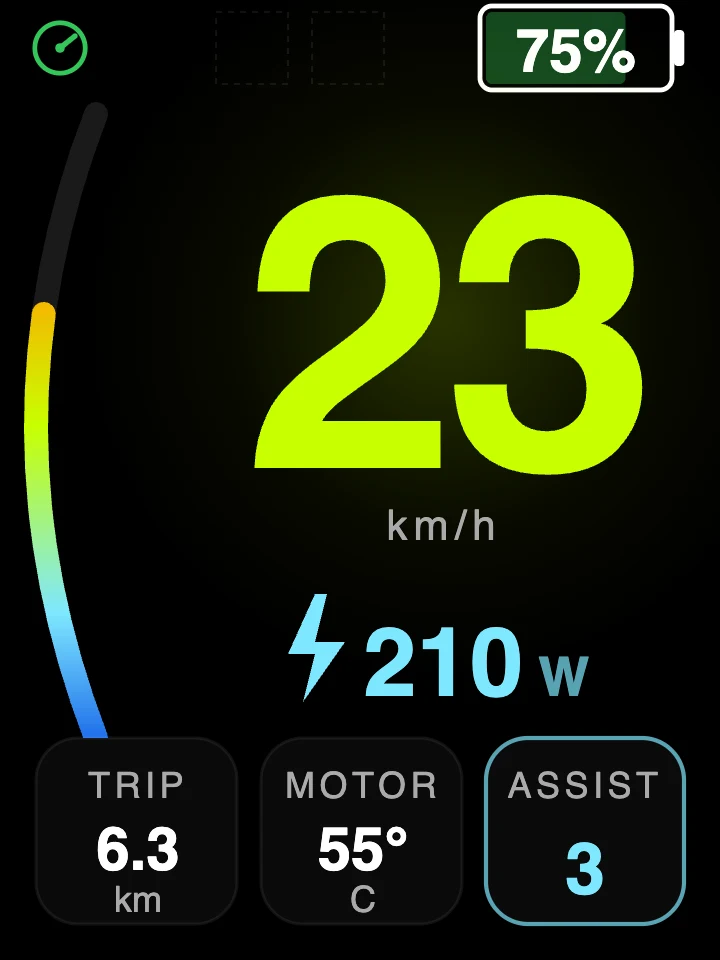
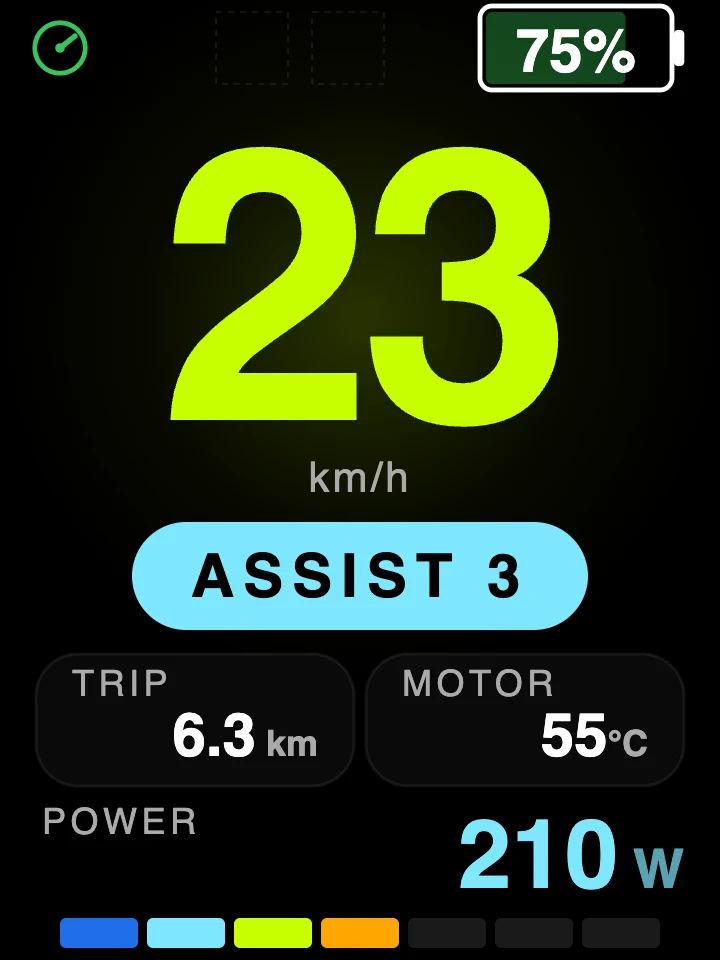
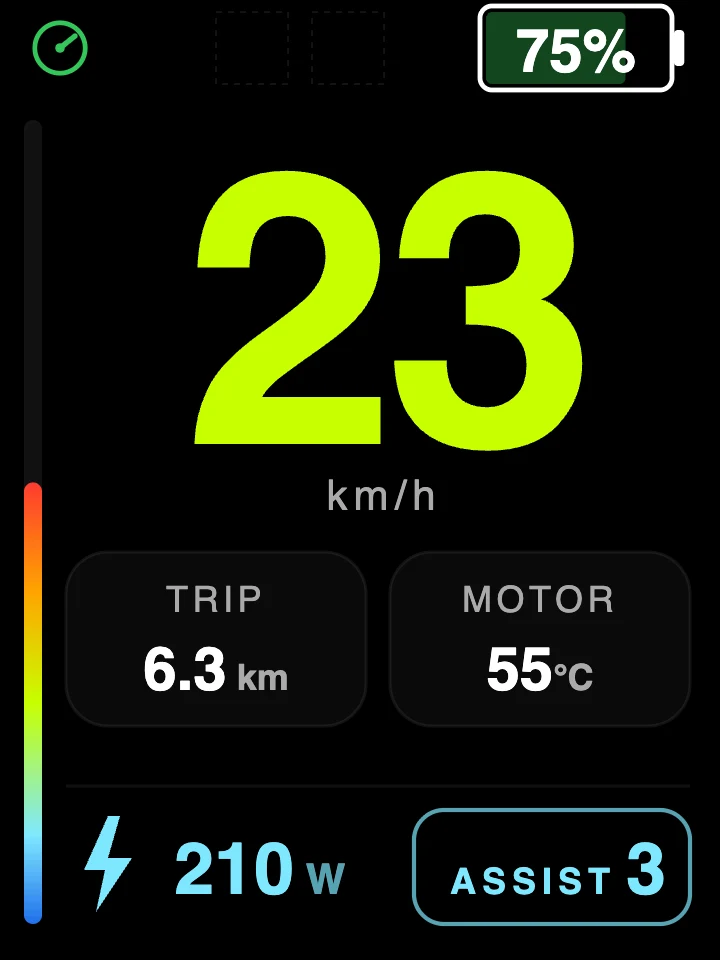
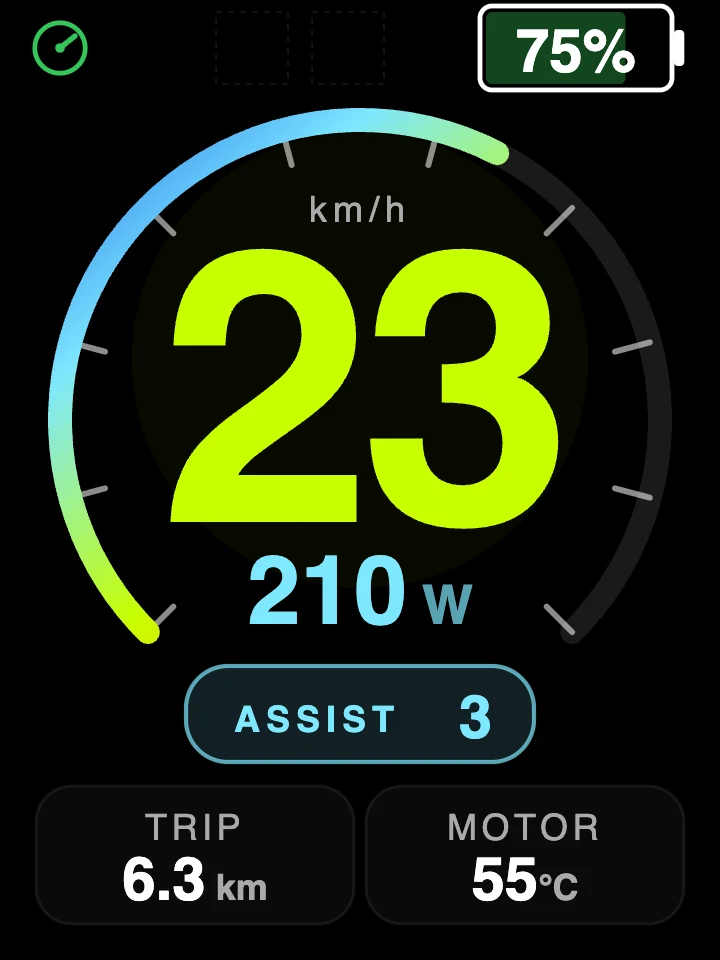
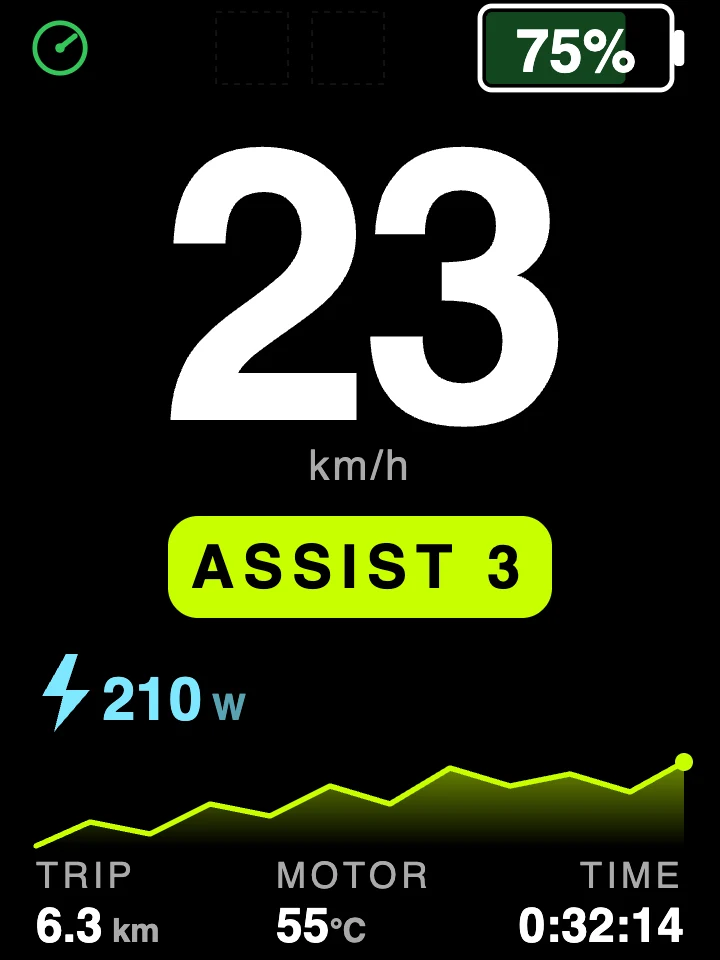
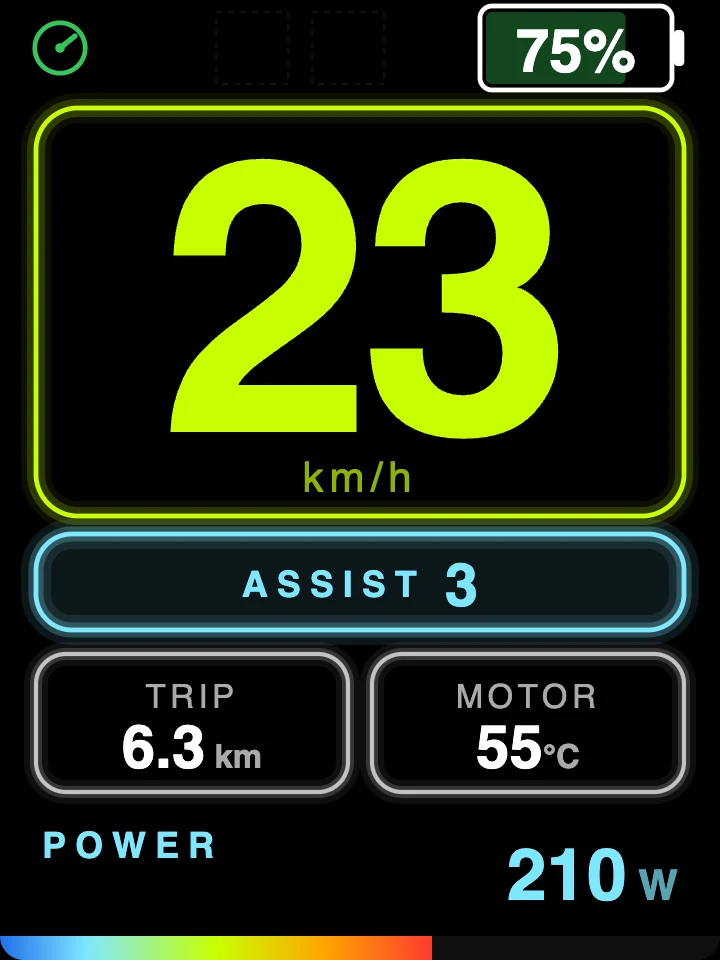
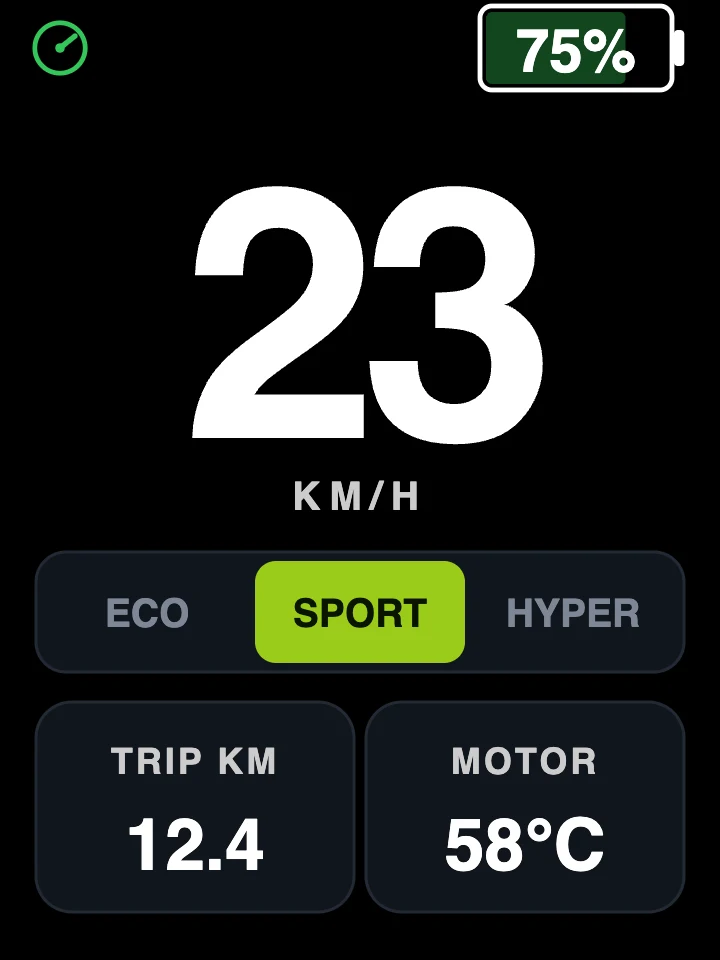
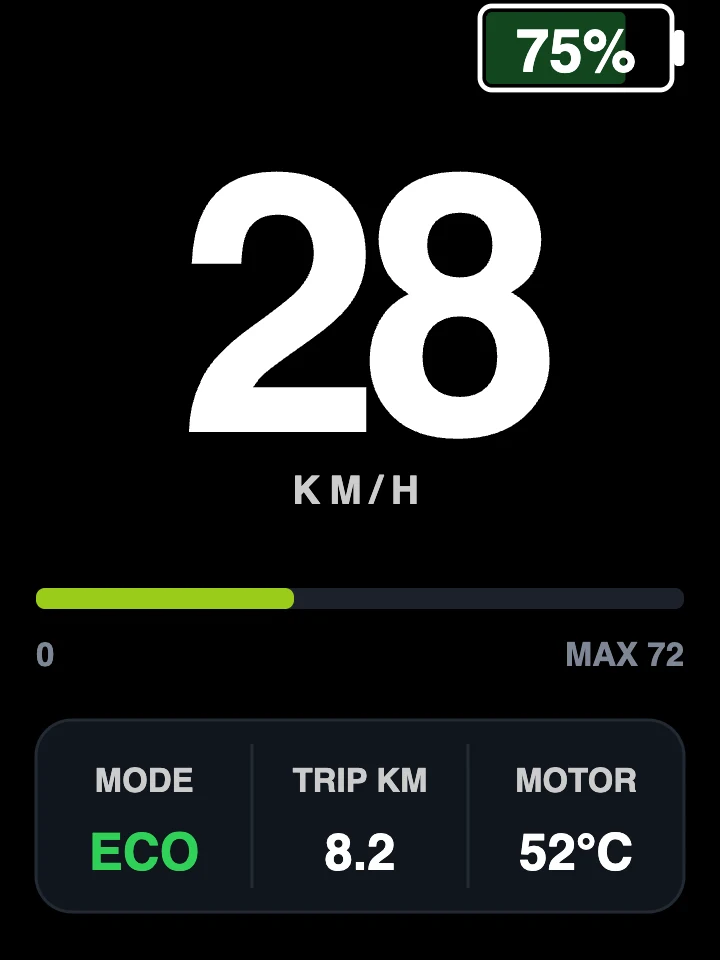
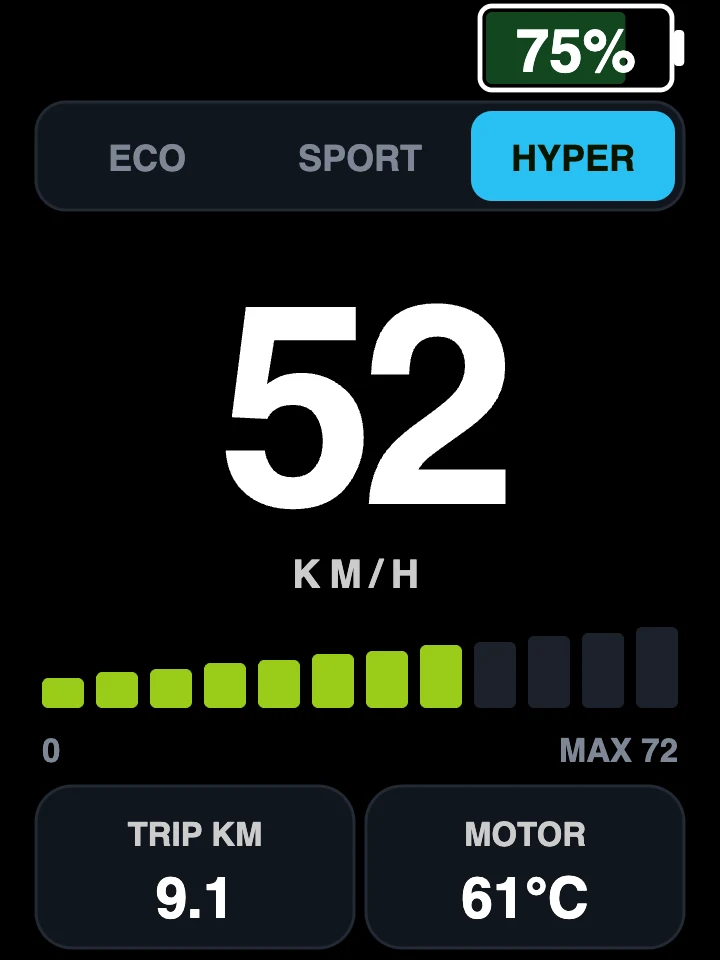
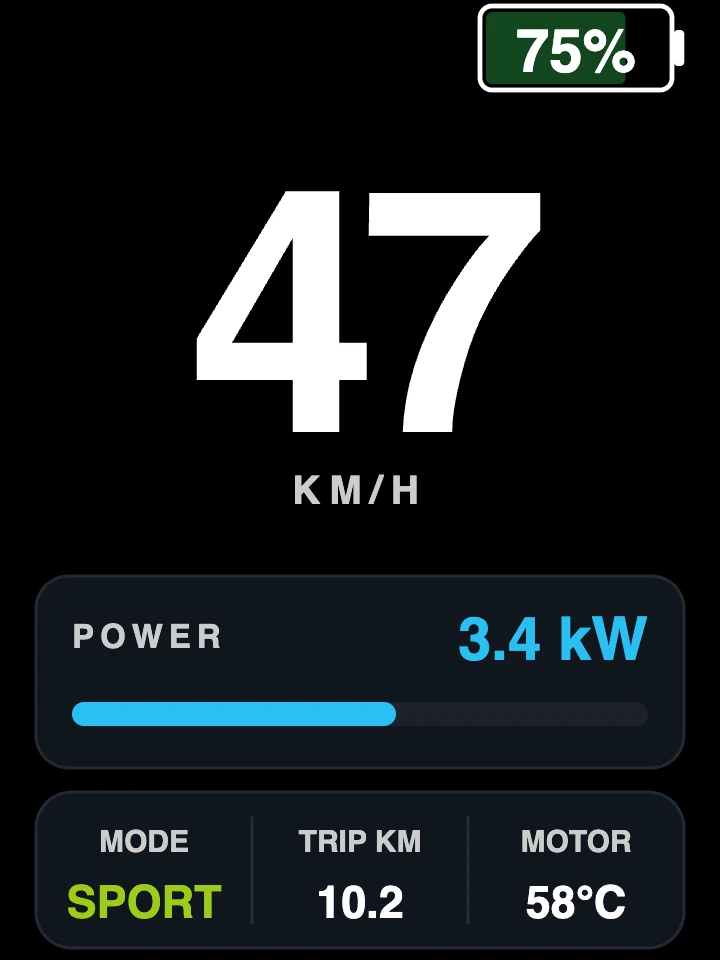
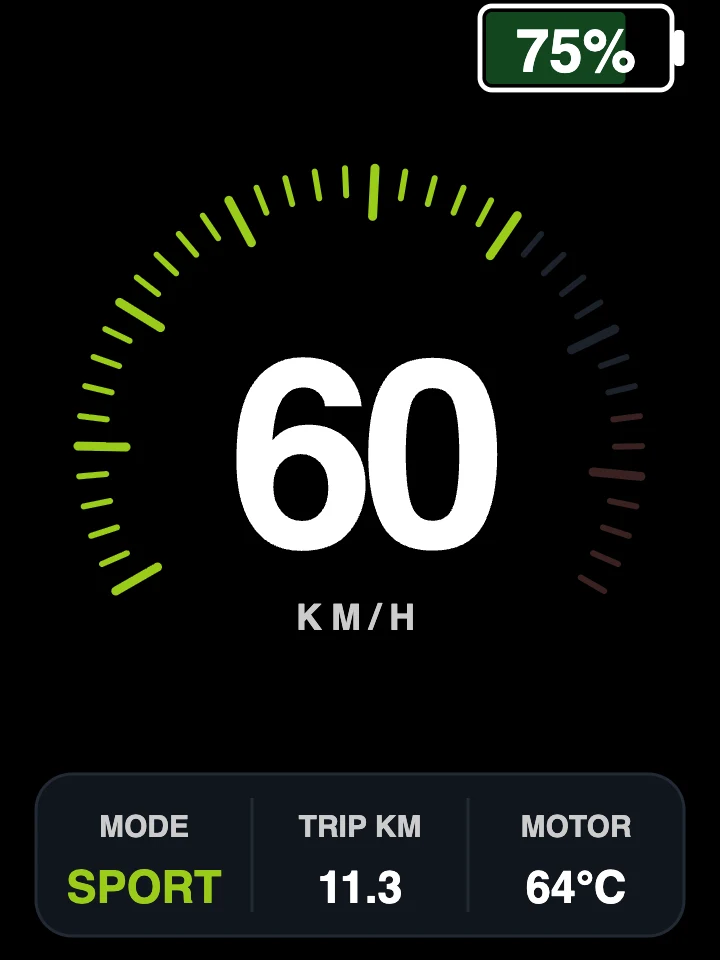
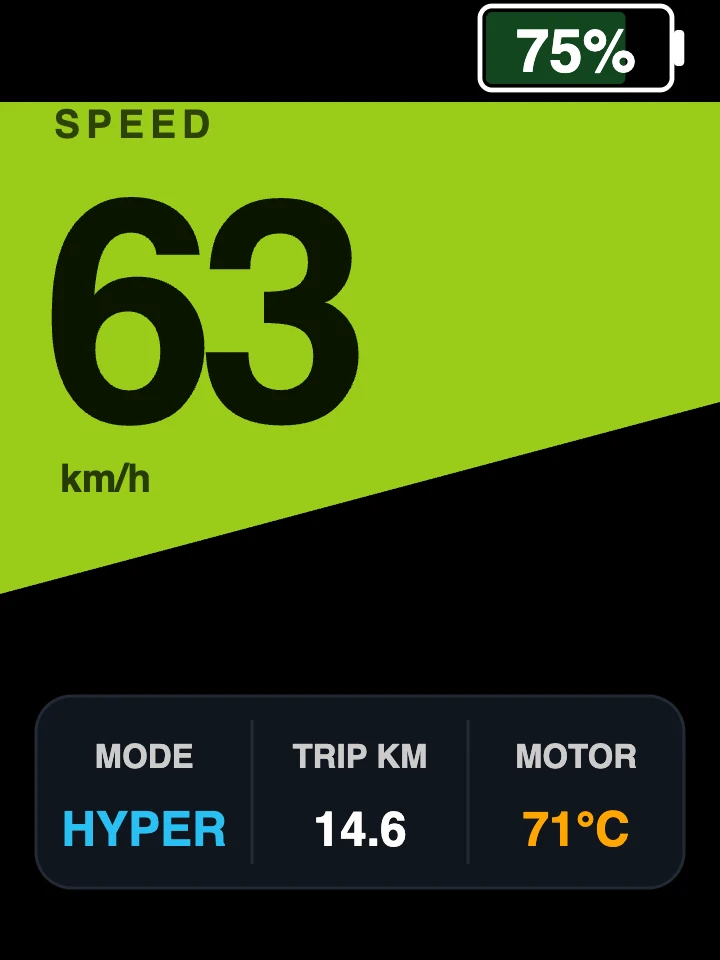
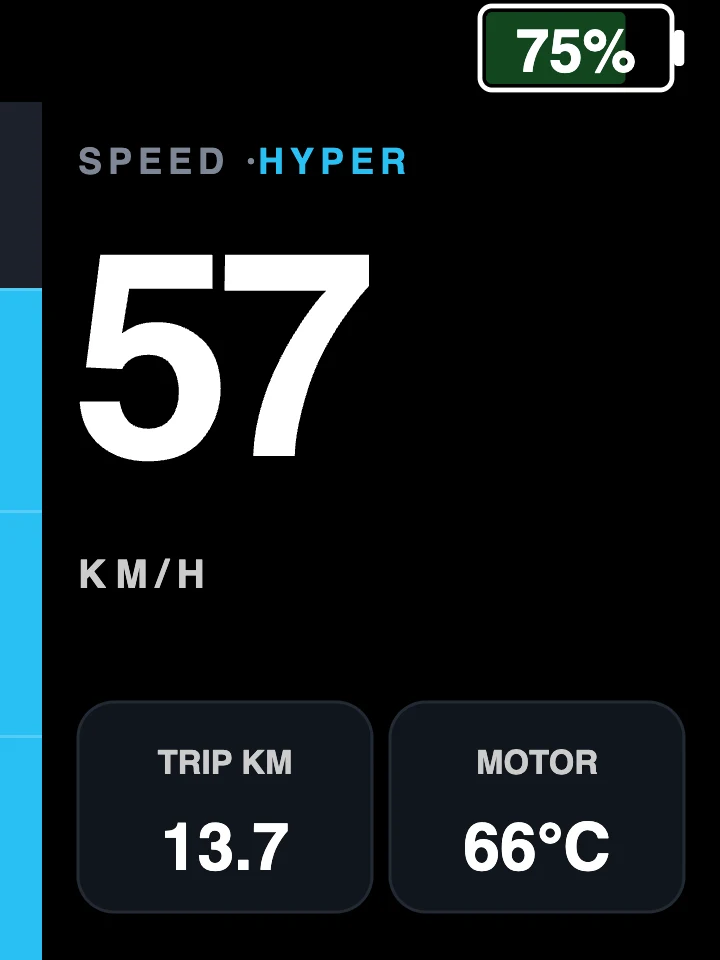
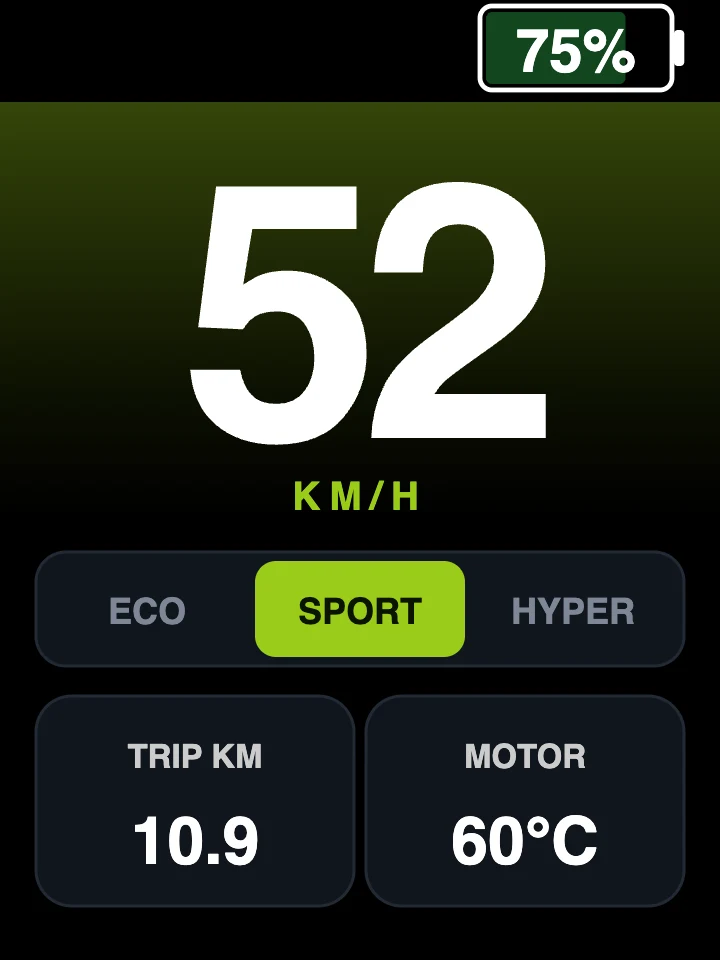
Arc
01 / 14
Premium automotive arc gauge, speed centred.
Arrow keys work here, and so does the plus key on the remote.
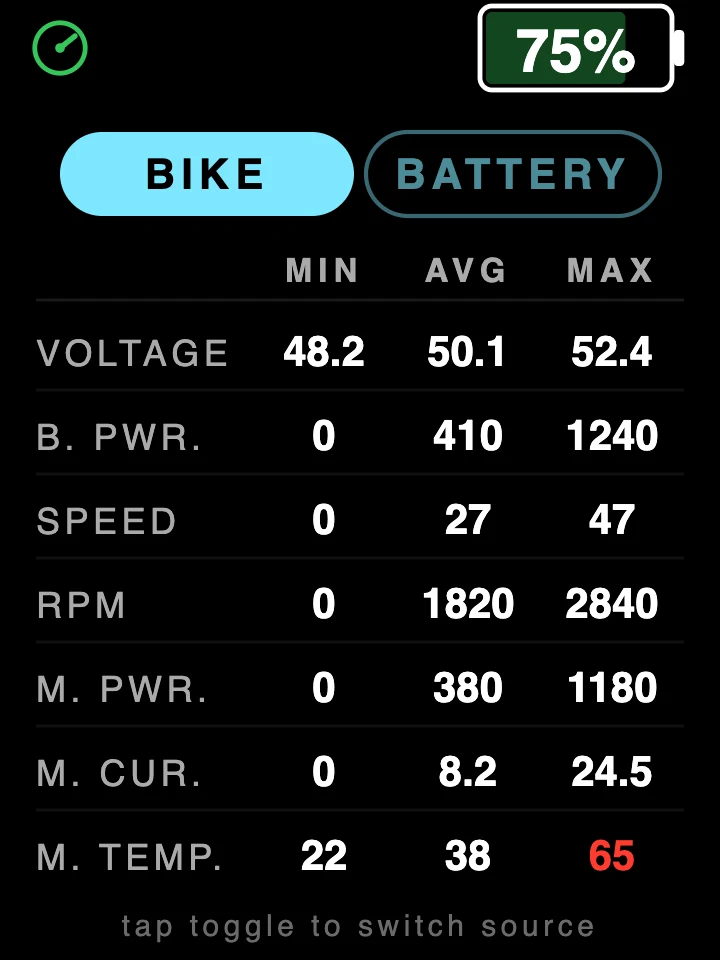
Every number the ride produced.
The dashboard is what you read while moving. These are the screens you press through afterwards, or at the side of the trail, without reaching for a phone.
Minimum, average, maximum
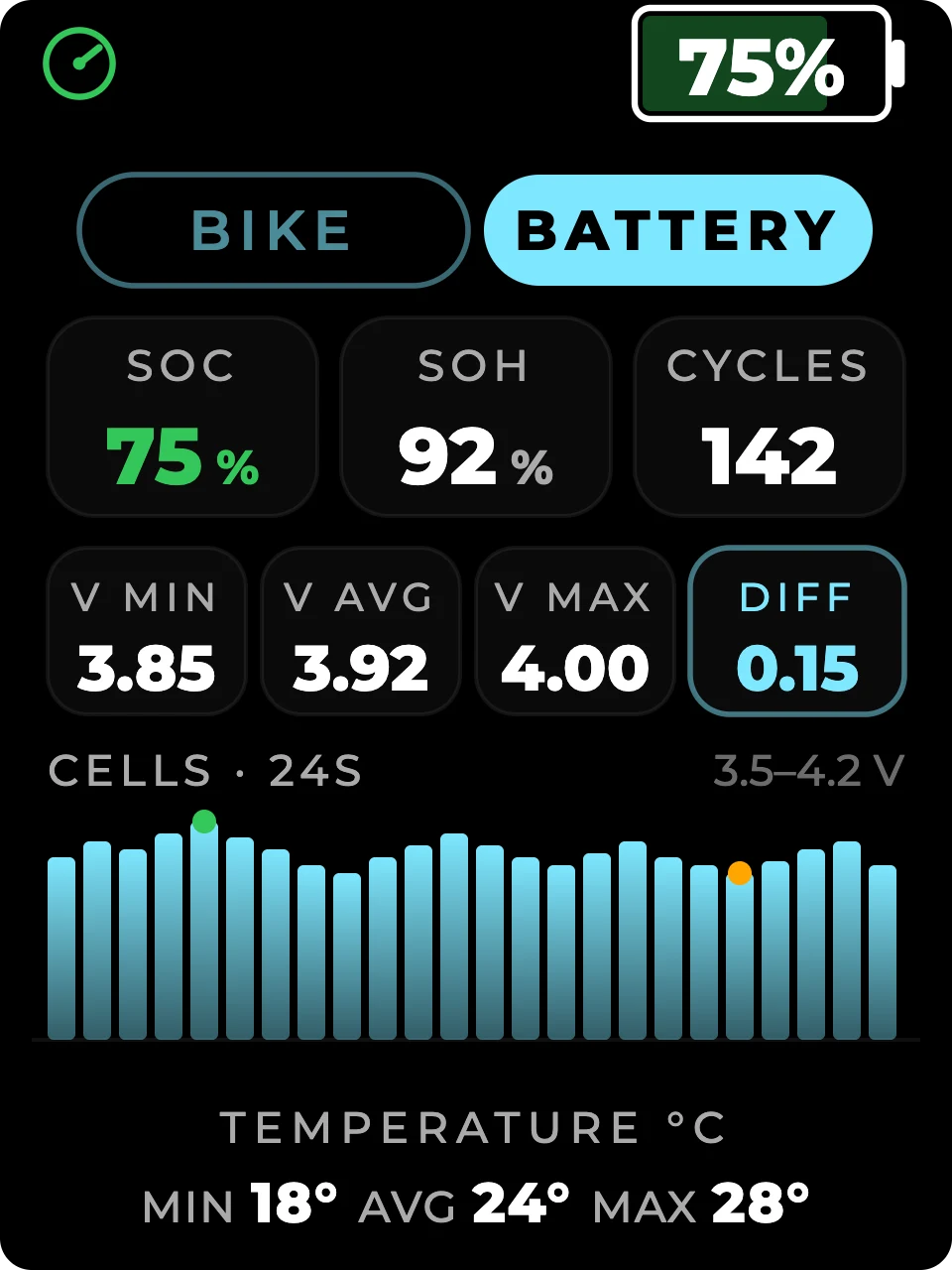
Voltage, battery power, speed, rpm, motor power, motor current and motor temperature, each with its lowest, its average and its highest for the ride. The peak column is where a problem shows up first, so it is the one that turns red.
- Session summary
- A separate screen for the ride you are on: top speed, average speed, peak power and energy used, reset whenever you reset the trip.
- One toggle
- The same screen switches between what the bike is doing and what the battery is doing. No menu, no phone.
Down to the individual cell
On a battery that reports it, you get state of charge, state of health, charge cycles and the spread between your best and worst cell, drawn as a bar per cell so one weak cell is obvious at a glance rather than buried in a number.
- Needs a smart pack
- Battery data reaches the display only from packs whose own battery management system shares it. Plenty of packs do not, and on those the battery screens stay empty while everything else works normally.
- Per cell
- Where the pack provides it: voltage and temperature for every cell, with the minimum, the average, the maximum and the difference between them.
- Honest about gaps
- Dash Pro shows what your pack is willing to report and nothing it is not. A field your battery does not send simply does not appear.
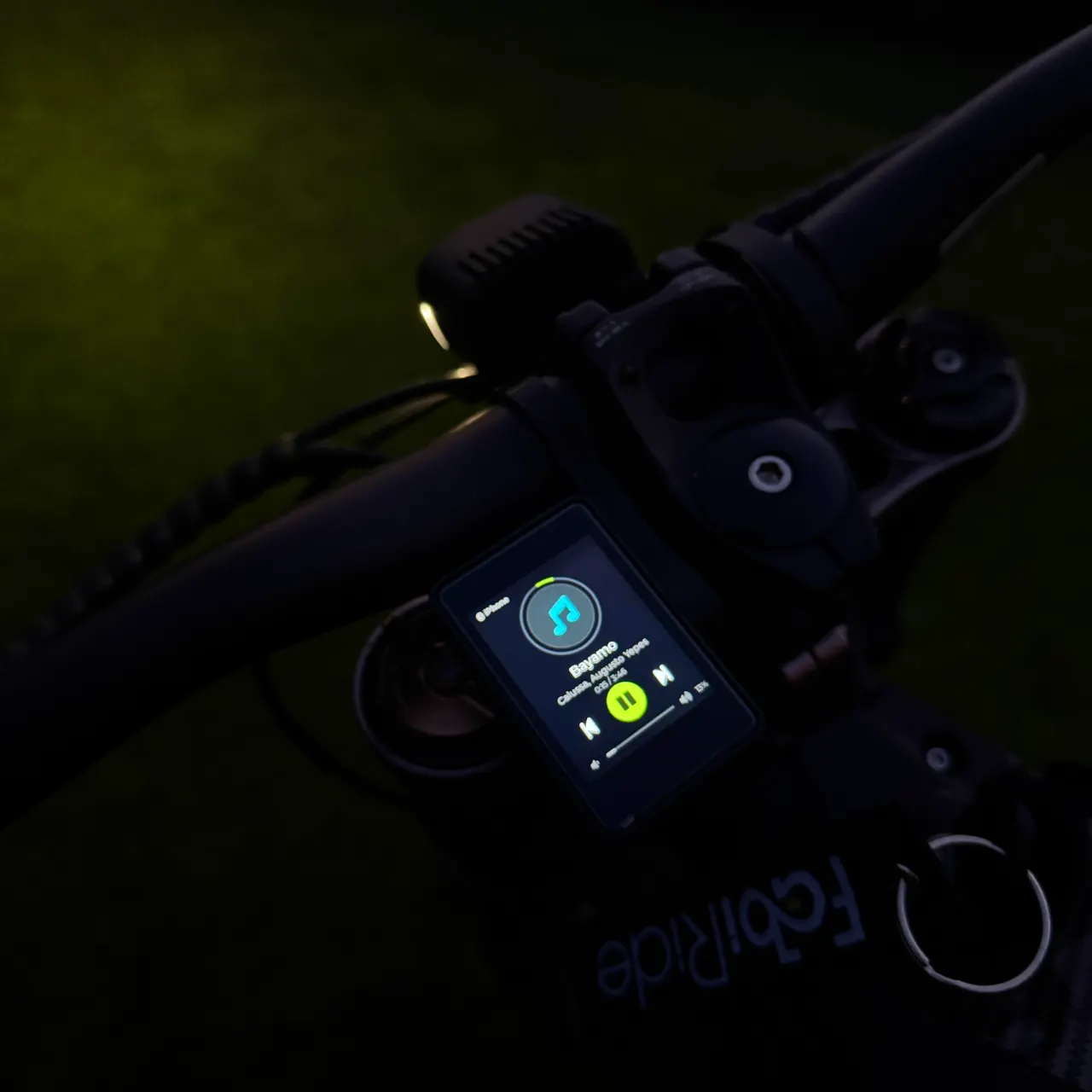
Your phone stays in your pocket.
What is playing, who is calling, and everything you need to answer either of them, on the bars where your hands already are.
Music, calls and group voice without touching your phone.
A call comes in. Your hands stay on the bars.
The ride screen gives way to who is calling. Two keys under your left thumb: take it or send it away. Answer, and the display holds the call while you keep riding.
Ringing
- Now playing
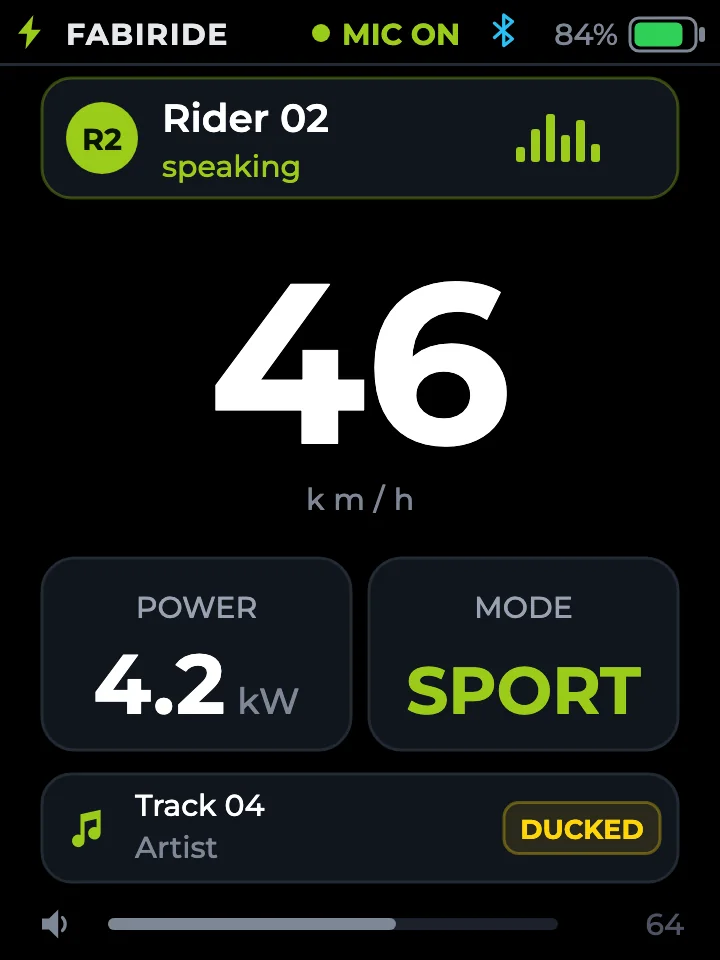
- Track, artist and album art from whatever you already listen to, with play, pause, skip and volume on the same three keys.
- Group voice
- Ride with other people on a six-character room code, push-to-talk from the bars. Your music keeps playing and dips while someone talks. No separate intercom to buy, and no subscription.
- Your call, always
- Two switches decide whether music appears on the display at all, and whether it appears while the bike is moving. Set it once and forget it.
The call screens above are drawn to show the sequence; the music screen behind them is a photograph of the display itself.
Which bikes does Dash Pro fit?
Pick your bike, or the controller you fitted. You get a plain answer, the two options to choose in the shop and what works on your bike. Weighing it against EggRider? See why Dash Pro fits the stock bike.
See every supported bike in one list
Fits as it comes
Nothing else to buy. Dash Pro works with the controller the bike was sold with.
- Sur-Ron Light Bee X and Light Bee L1e2025 and earlier
- Talaria Sting MX3, Sting R MX4, MX5 and XXX
- Talaria Komodo
- E-TMX eX2
- Riding Times GT2000, GT54, GT54 PRO and GT73
- Bafang BBS01, BBS02 and BBSHDMid-drive e-bikes
- Bafang M-series drive unitsM200 to M820
- MATE X
Fits with an upgraded controller
For bikes fitted with an aftermarket controller, and for custom builds.
- Sur-Ron Ultra BeeWith a Torp, EBMX, ASI or VESC controller
- Sur-Ron and Talaria with a Torp or EBMX kit
- Custom e-motos and e-bikesWith an ASI, SiliXcon, VESC, FarDriver or Bafang controller
- Hub-motor e-bikes with a King-Meter or KT displayIncluding stock Lishui bikes
- Scooters with an ASI controller
Not yet
- Sur-Ron Ultra Bee on its factory controllerNot supported yet
Your bike is not on either list? Ask us before ordering and we will tell you plainly whether it fits.
The map, tricks, music, calls and crash alerts work on every bike in these lists. When you order, pick your bike and the matching leads.
What works on each bike, side by side.
Power the display on Power the display off Riding Ringing Connected It rings again in a moment. The bike is ringing. Answer or decline. Press either key to hang up. Linear one to one Soft gentle first half Sharp immediate off idle
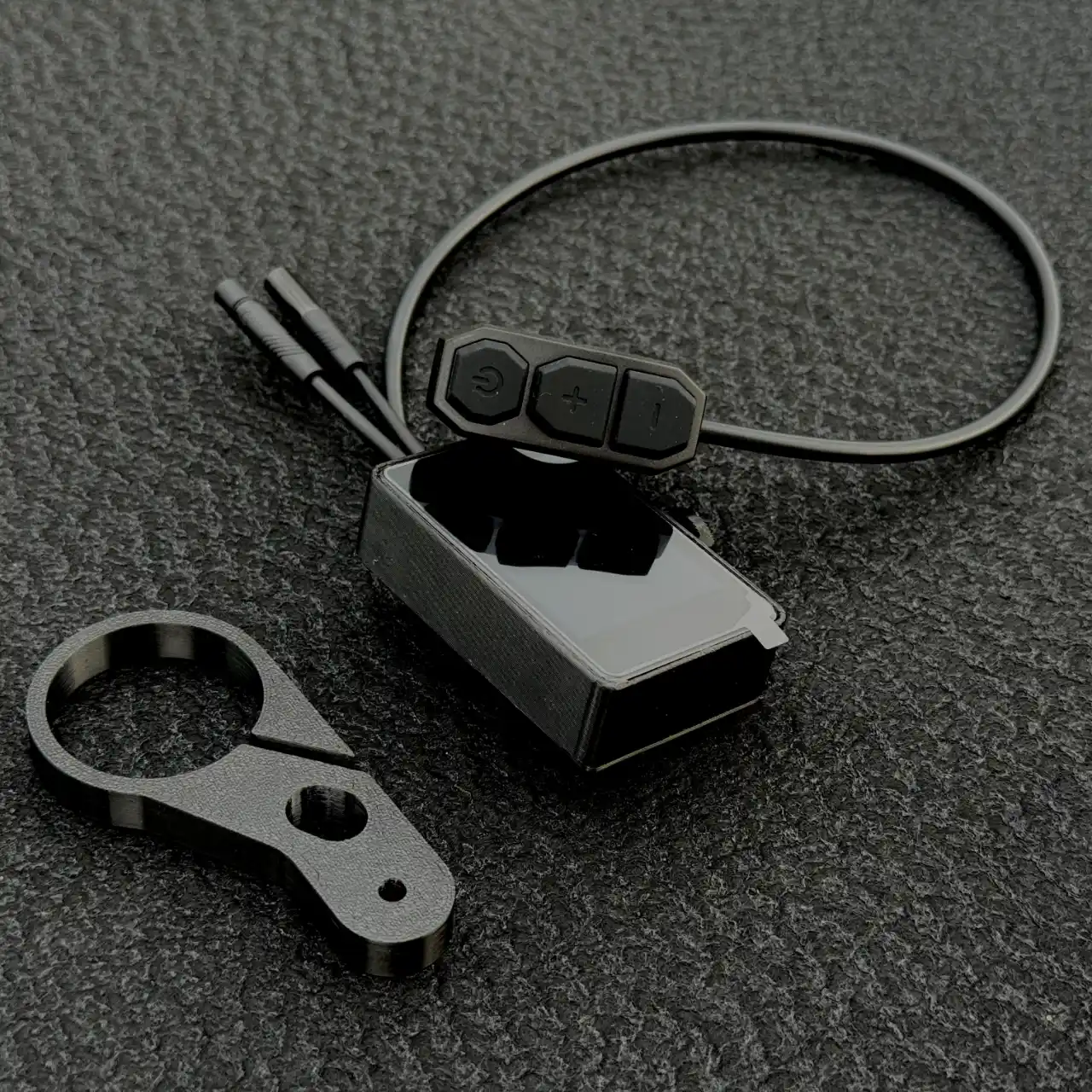
Three buttons. You never let go of the bars.
Change mode, lights, cruise, reverse, the limiter, your trip, your screen, your music, a call, push-to-talk, and cancelling a crash alert. All of it without reaching for a phone.
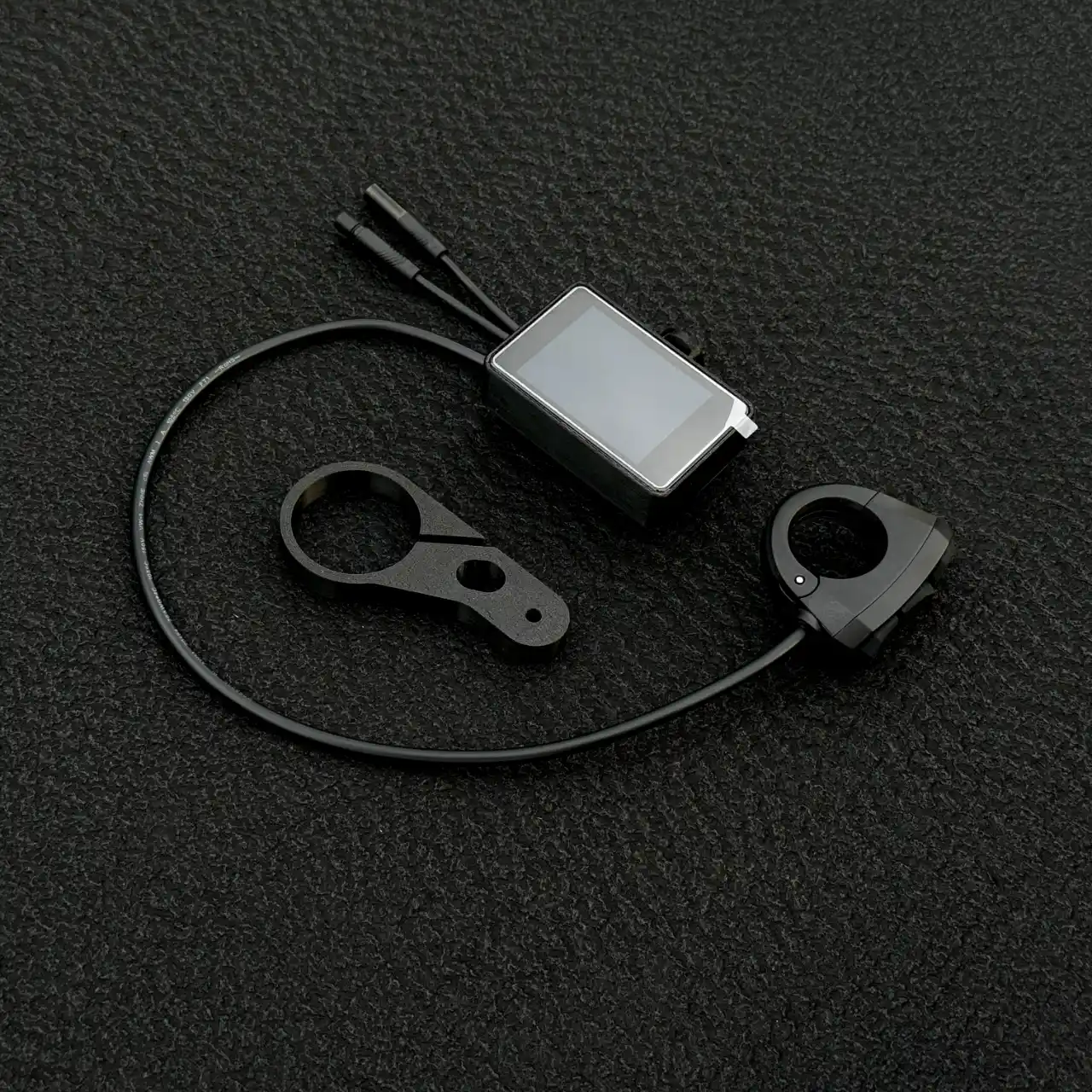
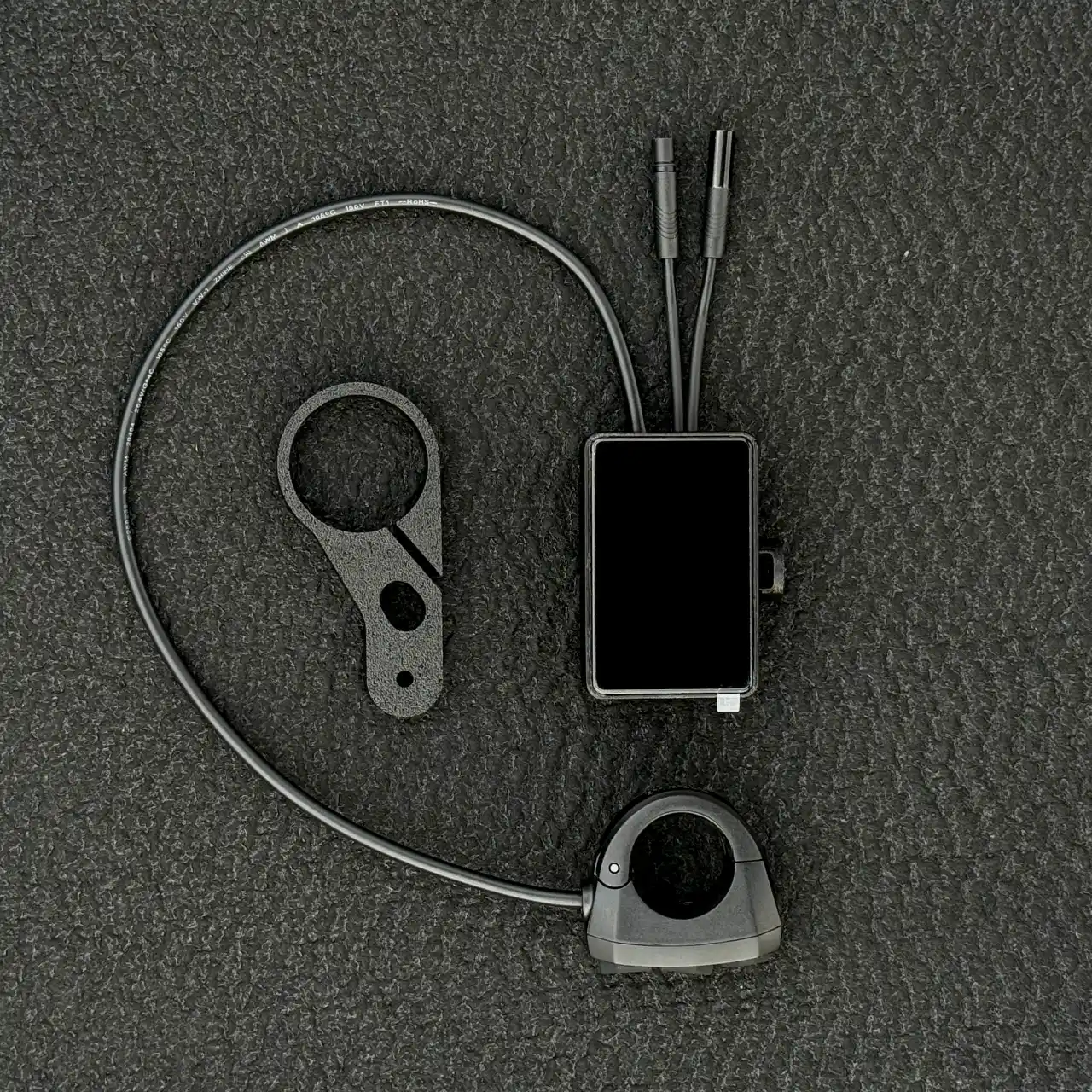 Controller leads Display Bar bracket Remote
What is in the box, and how Dash Pro fits your bike.
The display clamps to the bars, the remote sits under your left thumb, and two leads go to the controller. Nothing is cut, drilled or reflashed.
- 01Clamp the bracket where you want to read it.
- 02Put the remote under your left thumb, next to the grip.
- 03Plug the two leads into the controller. The setup wizard checks what your bike allows.
- 04Power on, open the app, and let the setup wizard find your controller.
Take the display off and the bike is exactly as it left the factory.
Watch it fitted: Sur-Ron Light Bee X · Talaria Sting MX3 / MX4 · MATE X
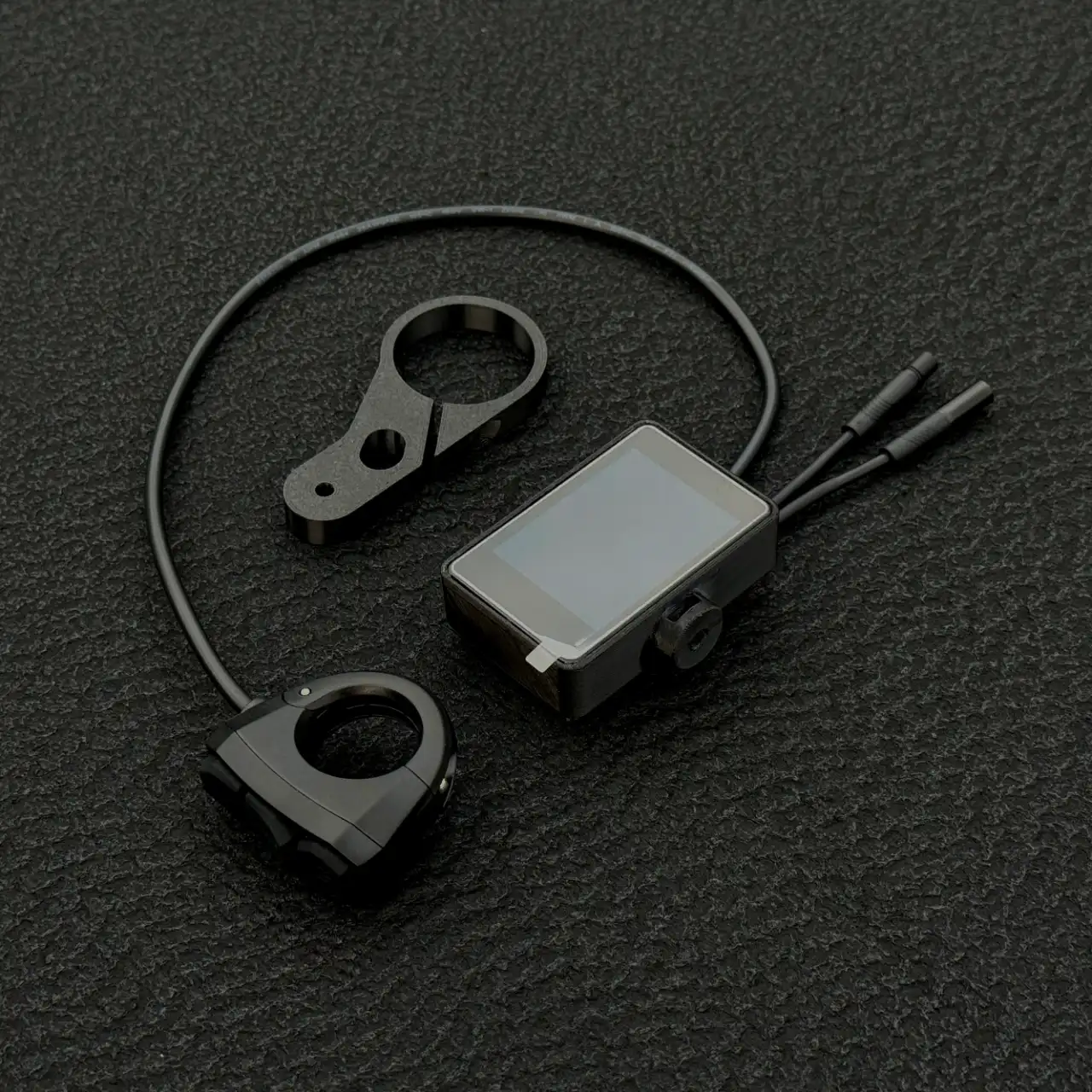
Three keys. This is all of them.
The remote clamps beside your left grip. Everything you do while moving is one of these, and you never let go of the bars to do it.
| Key | Hold | What happens |
|---|---|---|
| power | hold 3 s | Power the display on, or off |
| power | press | Next screen |
| power | double-press | Music |
| + | press | Assist or regen level up |
| − | press | Assist or regen level down |
| + | double-press | Next riding mode |
| + | hold 2 s | Lights on or off |
| − | hold 2 s | Cruise control on or off |
| − | press 3 times | Reverse, on bikes that have it |
| − + | hold 2 s | Crew intercom |
| − + | hold 5 s | Reset the trip counter |
| − + power | hold 2 s | Limiter back on. Lifting it is done in the app |
On a call the minus key declines or ends it and the plus key answers. On the music screen they skip tracks, and holding either changes the volume. Swipe across the ride screen for the map.
Setup, tuning and ride history in the FabiRide app.
Free on iPhone and Android, and the same account works in any browser at my.fabiride.com. Setup, tuning, history, sharing and wireless updates.
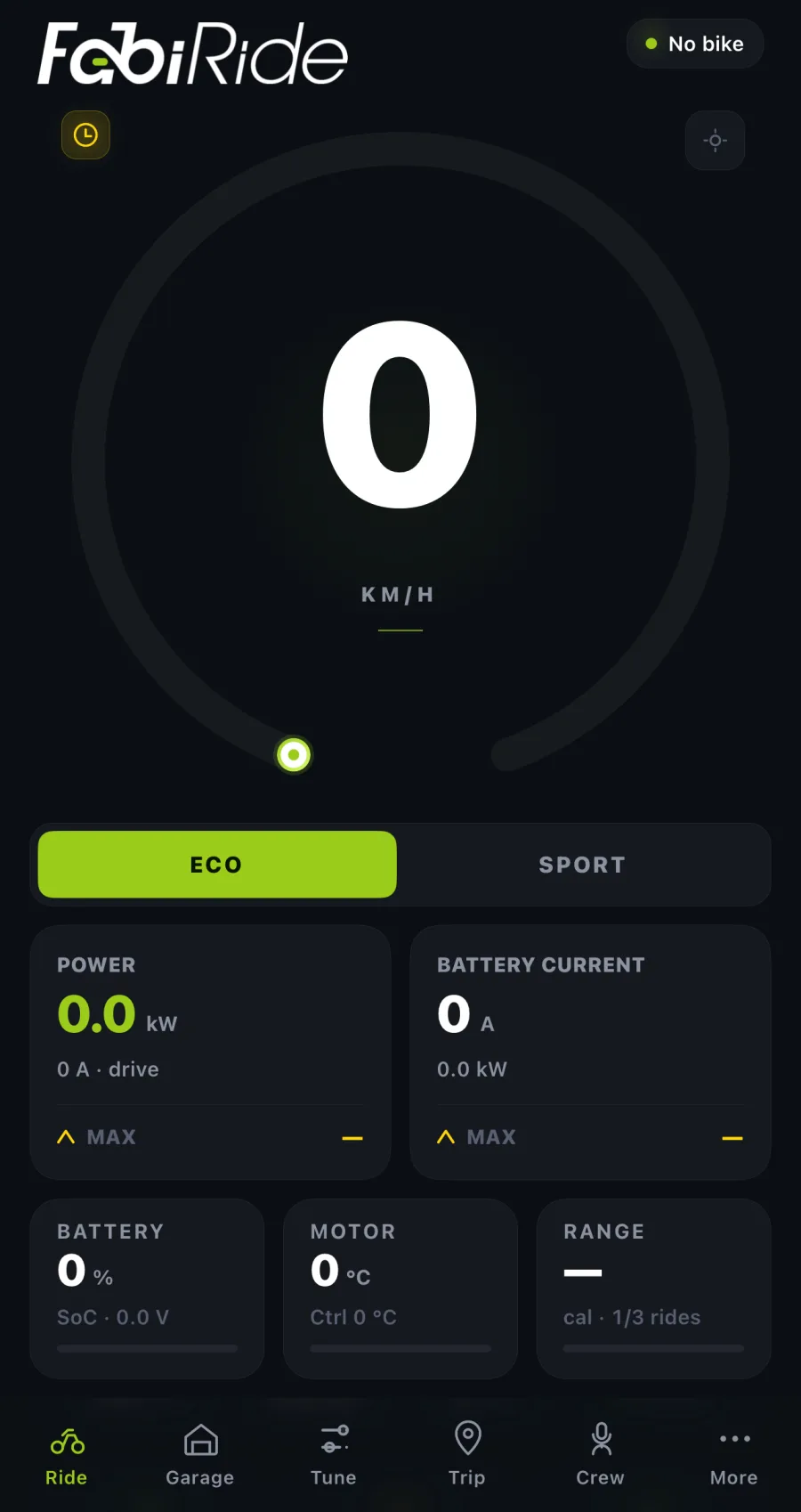
Ride
Your dashboard mirrored on the phone. Every tile opens into detail with history charts.
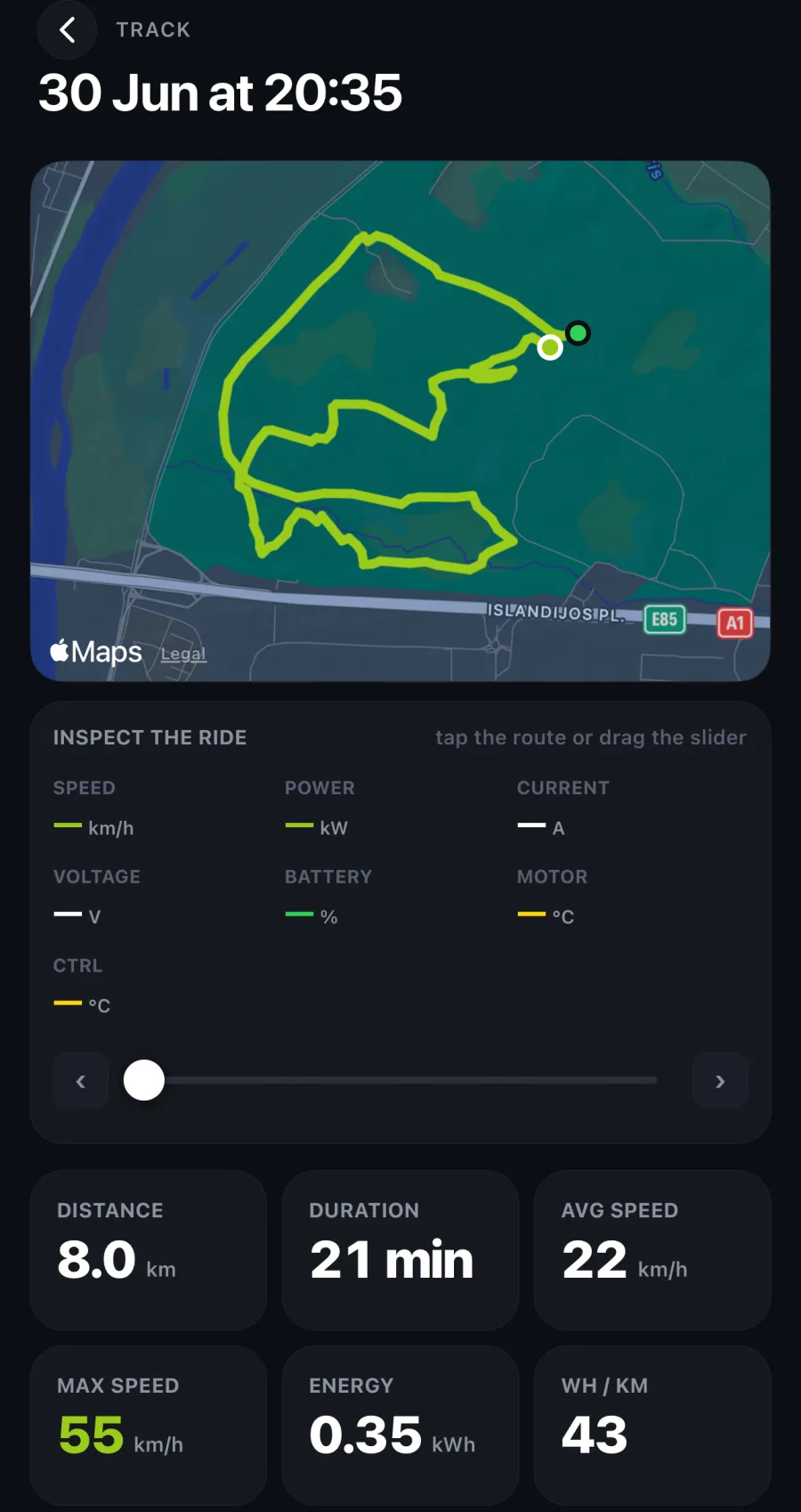
Trip
Every ride recorded on its own. Scrub back through the route and watch speed, power, battery and temperature move with it.
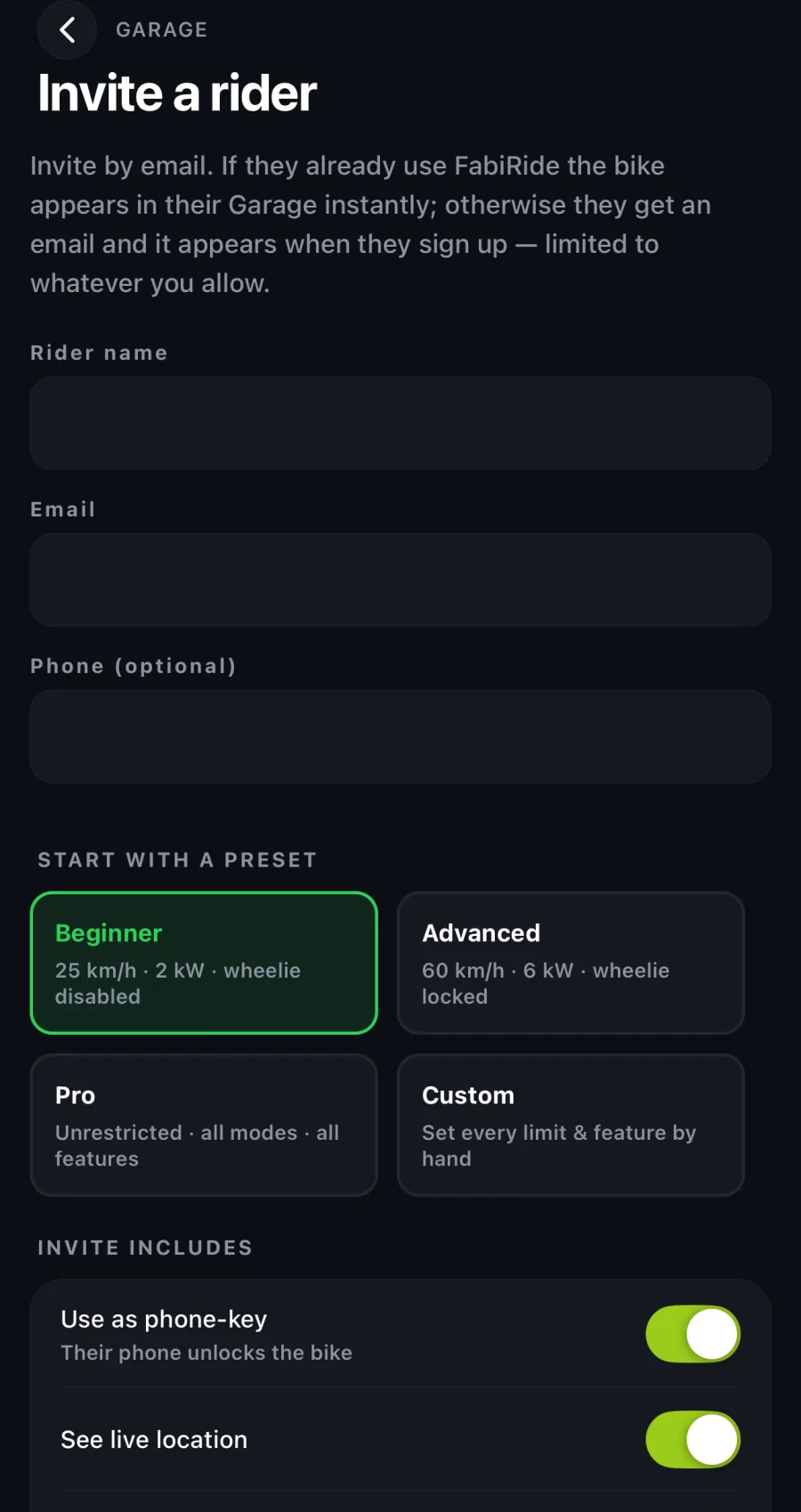
Riders
Invite by email or QR code, each with their own speed and feature limits and power aggressiveness control. Change any of it instantly, from anywhere.
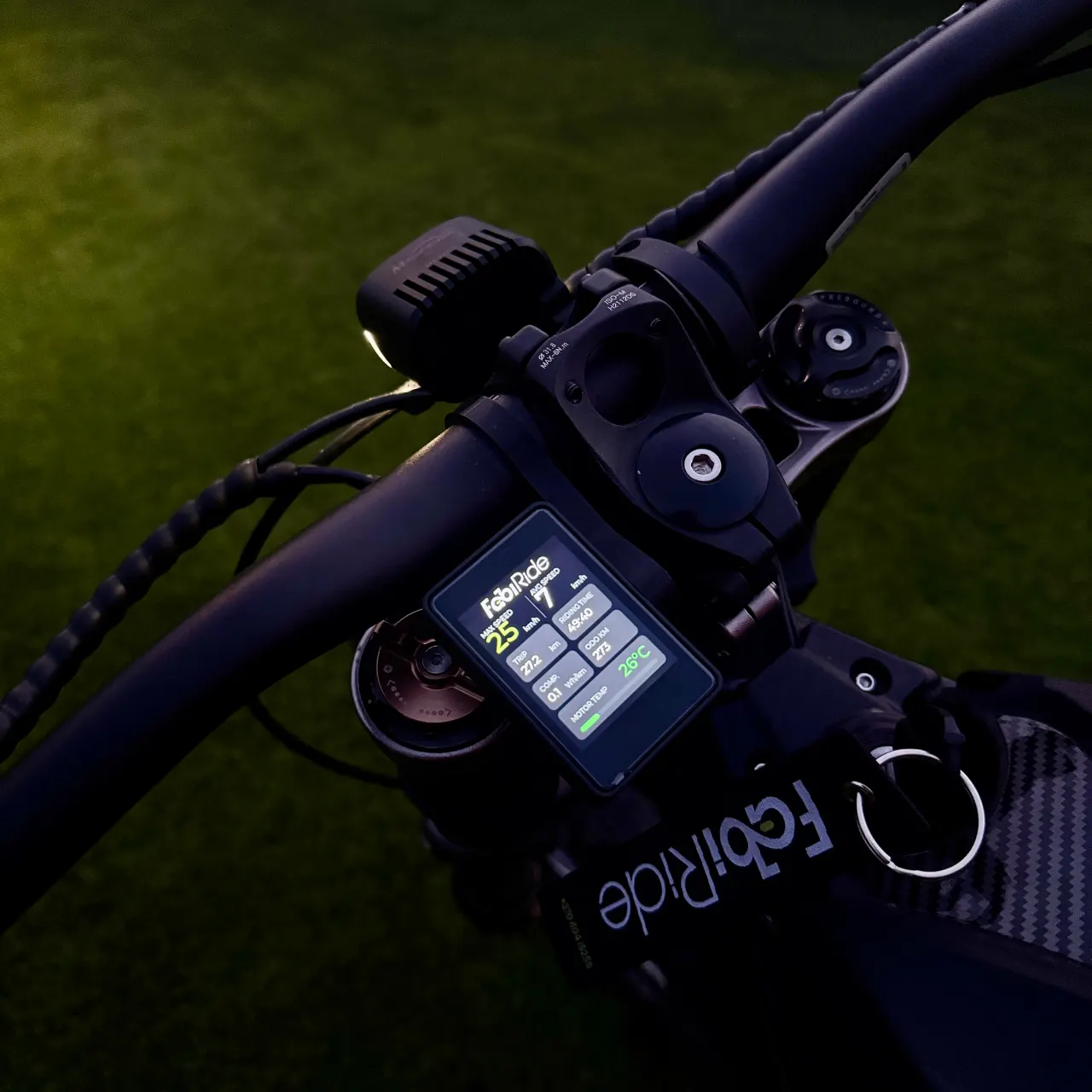
Built in Lithuania, three years in, and still shipping new features.
Dash Pro is not finished, by design. Updates arrive over the air at no cost, and they have brought new controller families, new bike models recognised automatically, new dashboard designs and new rider assists. Support for a controller you do not own today is a plausible thing to receive for free tomorrow.
- 3
- Years in development
- 12
- Controller families
- 35+
- Models detected automatically
- 14
- Dashboards, and counting
Dash Pro specifications.
- Panel
- Colour touchscreen
- Riding maps
- Up to 10, each with its own speed, power, current and regen
- Navigation
- Live map with your trail, your crew and saved tracks, turn-by-turn with a junction map before each turn
- Tricks
- Jumps, wheelies and lean measured on the bike, with achievements and leaderboards in the app
- Logging
- Automatic ride recording with routes, live location, full replay, lap and acceleration history
- Connectivity
- Bluetooth to phone, more than one phone at once, cloud backup, wireless firmware updates
- Security
- Phone as key, ownership protection, clean transfer when you sell
- Apps
- iPhone, Android and web
Dash Pro questions riders ask.
Which bikes does Dash Pro fit?
Does it work on a stock SurRon or Talaria?
Does it work on a Sur-Ron Ultra Bee?
Does the display show a map?
What are tricks and achievements?
Can I set a 45 km/h limit, or another speed?
Do I have to modify my bike?
What happens if my phone is off?
Can my kid remove the limits I set?
Which controllers can be tuned, and which are read-only?
Why does my bike not show wheelie or traction control?
What happens if I sell the bike?
One display. Every bike you will own.*
Pair as many bikes as you like and switch between them in a tap. Change your phone and your garage, your settings and your full ride history come back.
*Moving it to another bike? Only the harness changes.
