



Your bike is either legal or it is fun. Never both on the same ride.
Dash Pro ends that. Hold the bike to 25 km/h, 45 km/h or any speed you choose. Lift the limit in the app the moment you are off the road, and hold three handlebar buttons for two seconds to put it back for the ride home.
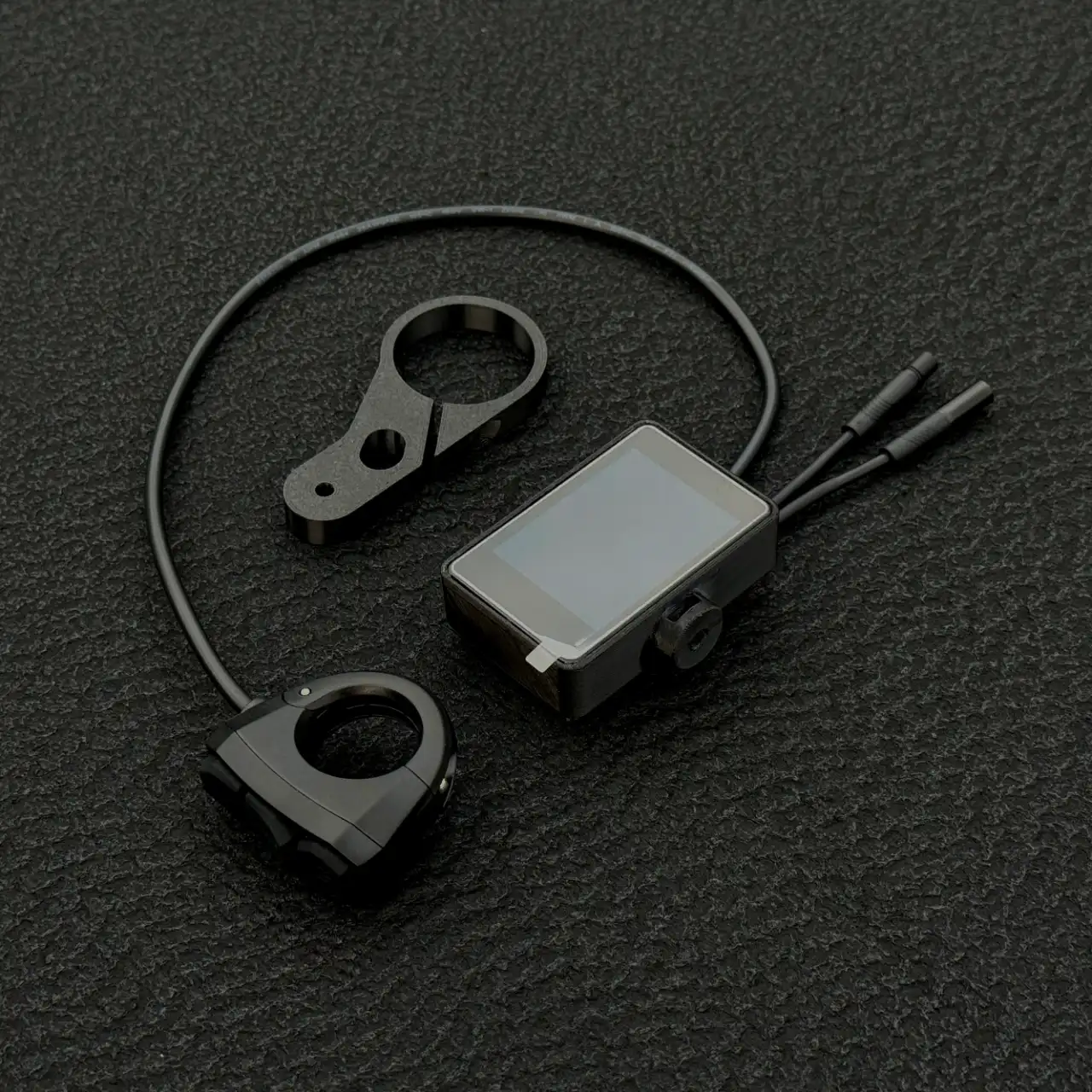
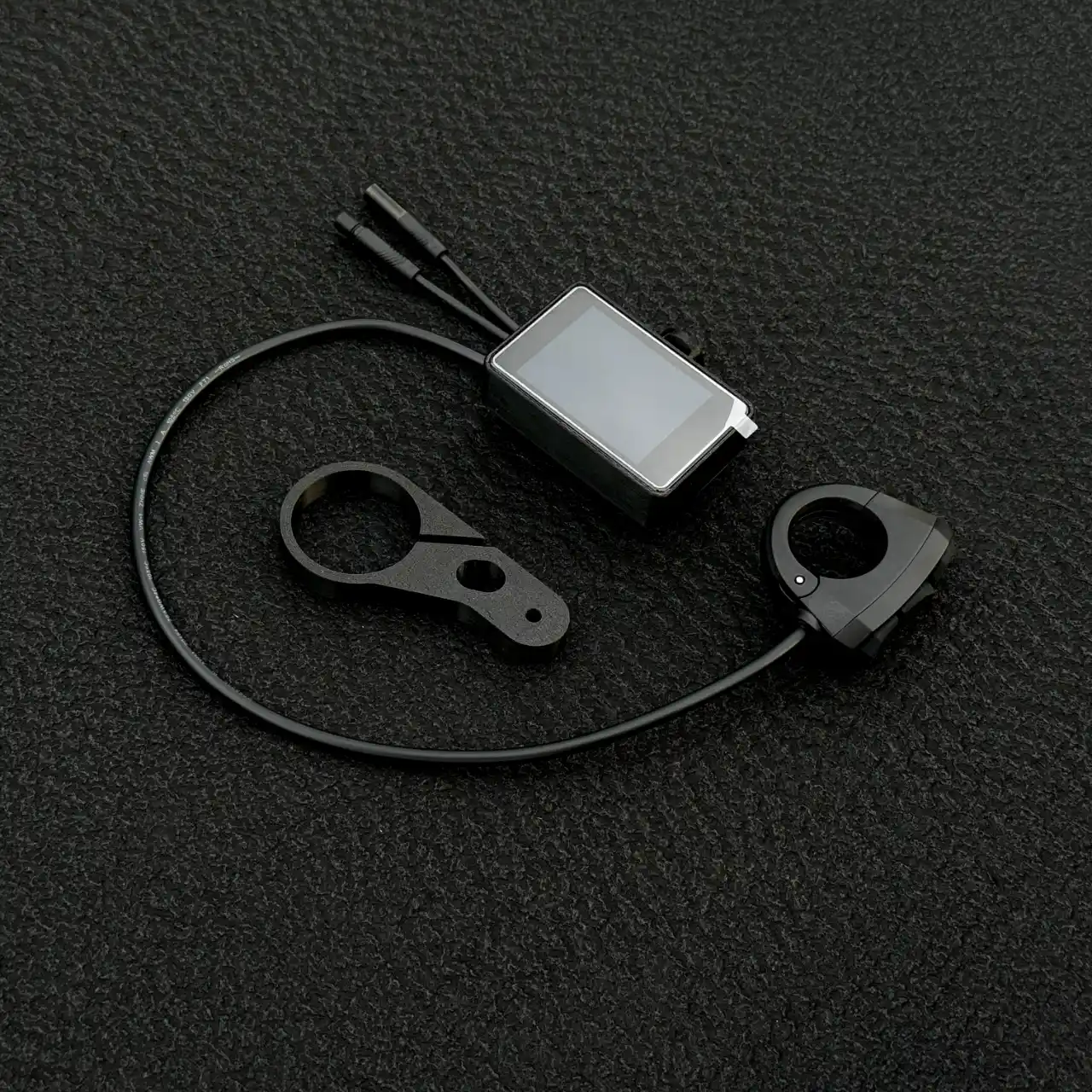
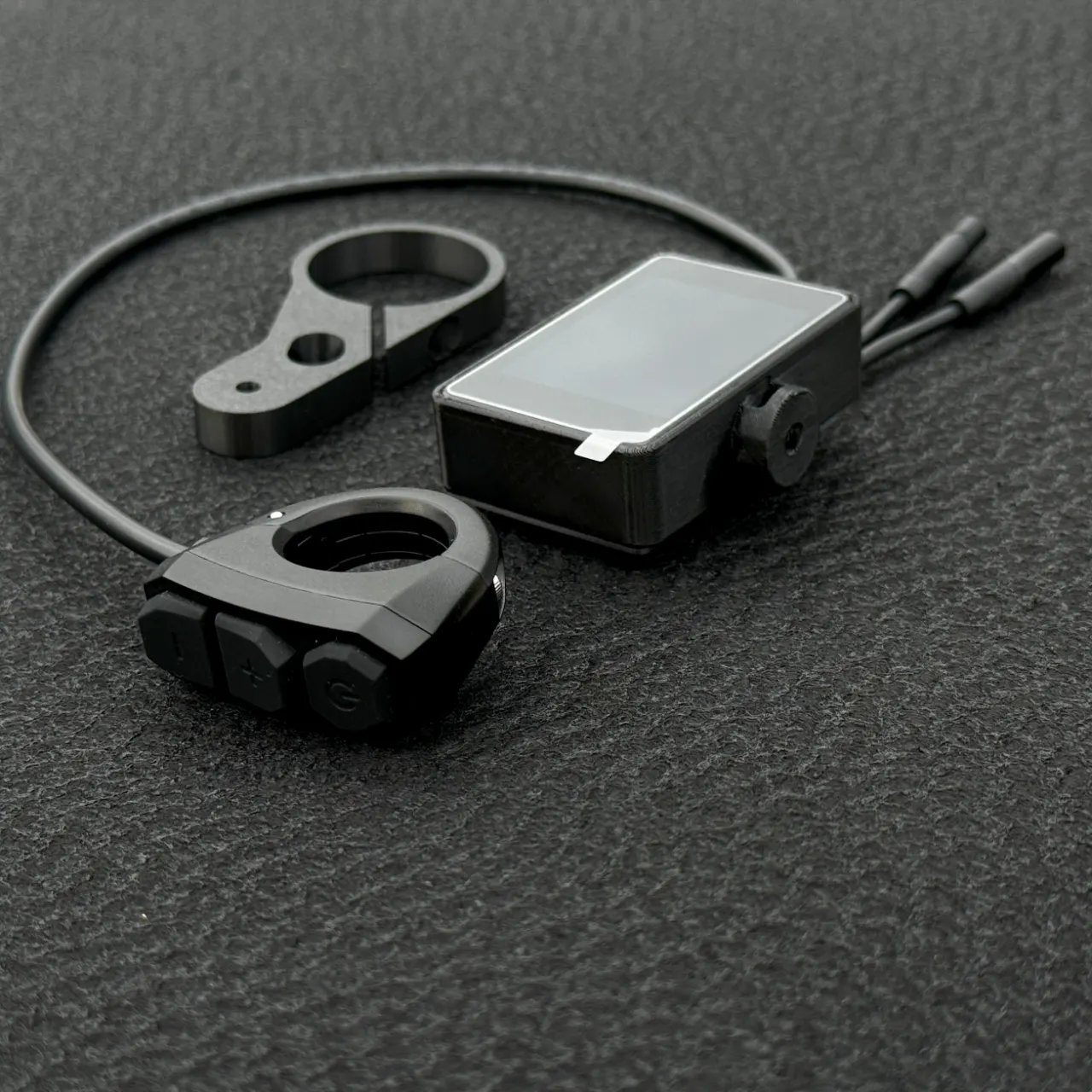
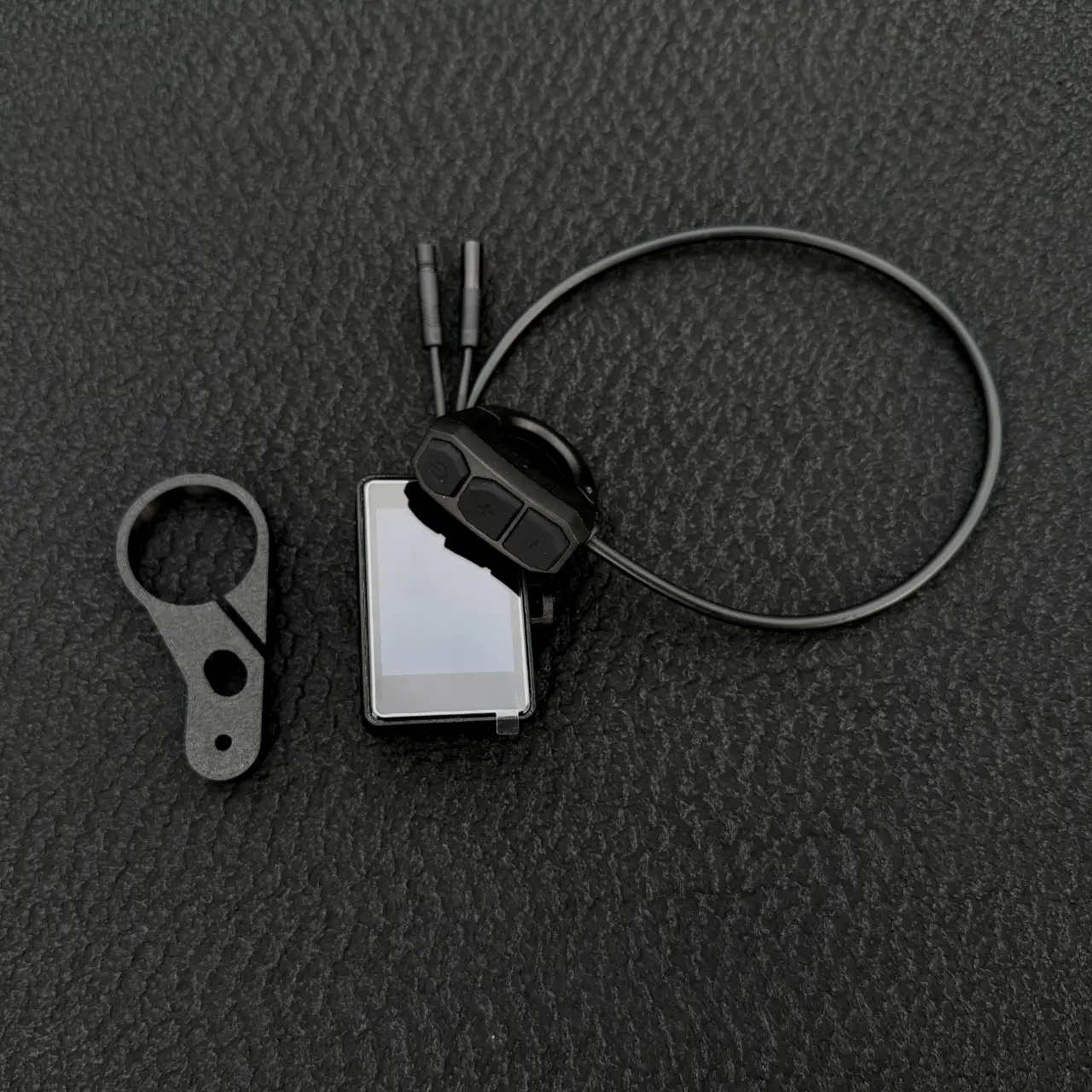
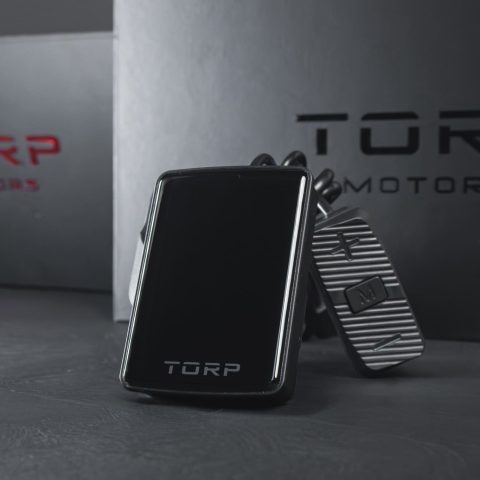
The FabiRide Dash Pro is a handlebar colour touchscreen that connects to an electric bike’s motor controller and controls it. It fits twelve controller families, from stock SurRon, Talaria and Bafang bikes to Torp and EBMX kits, and nothing on your bike is cut, drilled or replaced to make it work.
12
Controller families
35+
Models detected automatically
14
Dashboard designs
0
Parts modified on your bike
A speed limiter for SurRon, Talaria and ten more
A stock SurRon Light Bee X ships with a controller nobody can reconfigure. That is exactly why a bolt-on speed limiter for it has not existed. Dash Pro does not try to rewrite your controller. It takes command of the bike in real time, so the bike simply will not go past your number.
On the road
25km/h
Or 45, or any figure you set, with a power cap to match.
Off it
Full powerin the app
Lift the limit in the app and full stock performance is back. Hold three buttons for two seconds to put it on again.
How the speed limiter works
- Set your number. A speed limit in km/h or mph, and a power limit in watts.
- Turn the limiter on. In the app, or hold the three handlebar buttons for two seconds.
- Ride. The bike holds your figure, on every controller family Dash Pro fits, including the locked ones.
- Lift it in the app at the trailhead, and put it back from the bars for the ride home.
Open settings are for closed roads, private land and off-road use, and riding within the rules of your country is the rider’s responsibility.
What you get that a stock display cannot do
| Capability | Stock SurRon or Talaria display | FabiRide Dash Pro |
|---|---|---|
| Speed limiter you can set | No | Any speed, any power cap |
| Lift the limit and put it back | No | Lift in the app, back on from the bars |
| Per-rider limits for a child | No | Enforced on the bike |
| Screen | Monochrome or basic | Colour touchscreen, 14 designs |
| Music and calls on the bars | No | Yes, with album art |
| Ride recording with maps | No | Automatic, replayable |
| Live map with your crew | No | Yes, on the display |
| Jumps and wheelies measured | No | Yes, with personal bests |
| Crash detection with SOS | No | Yes, with emergency contacts |
| Wheelie and traction control | No | Yes |
| New features after purchase | No | Wireless firmware updates |
| Modification to the bike | None possible | None. Reversible in minutes |
Will it fit your bike?
Dash Pro speaks twelve controller families and recognises over thirty-five bike and controller models on sight. It sets itself up for the bike it finds, so you are never hunting for a setting your bike does not have.
Look for your bike on the supported bikes page: it shows, bike by bike, what works as it comes and with which controllers. Not sure which controller you have? Send us a photo of it before you order and we will tell you.
Music control and phone calls from the handlebars
Dash Pro takes over the jobs you would otherwise stop and pull a phone out for. Once it is set up, you ride with your phone in your pocket and never touch it.
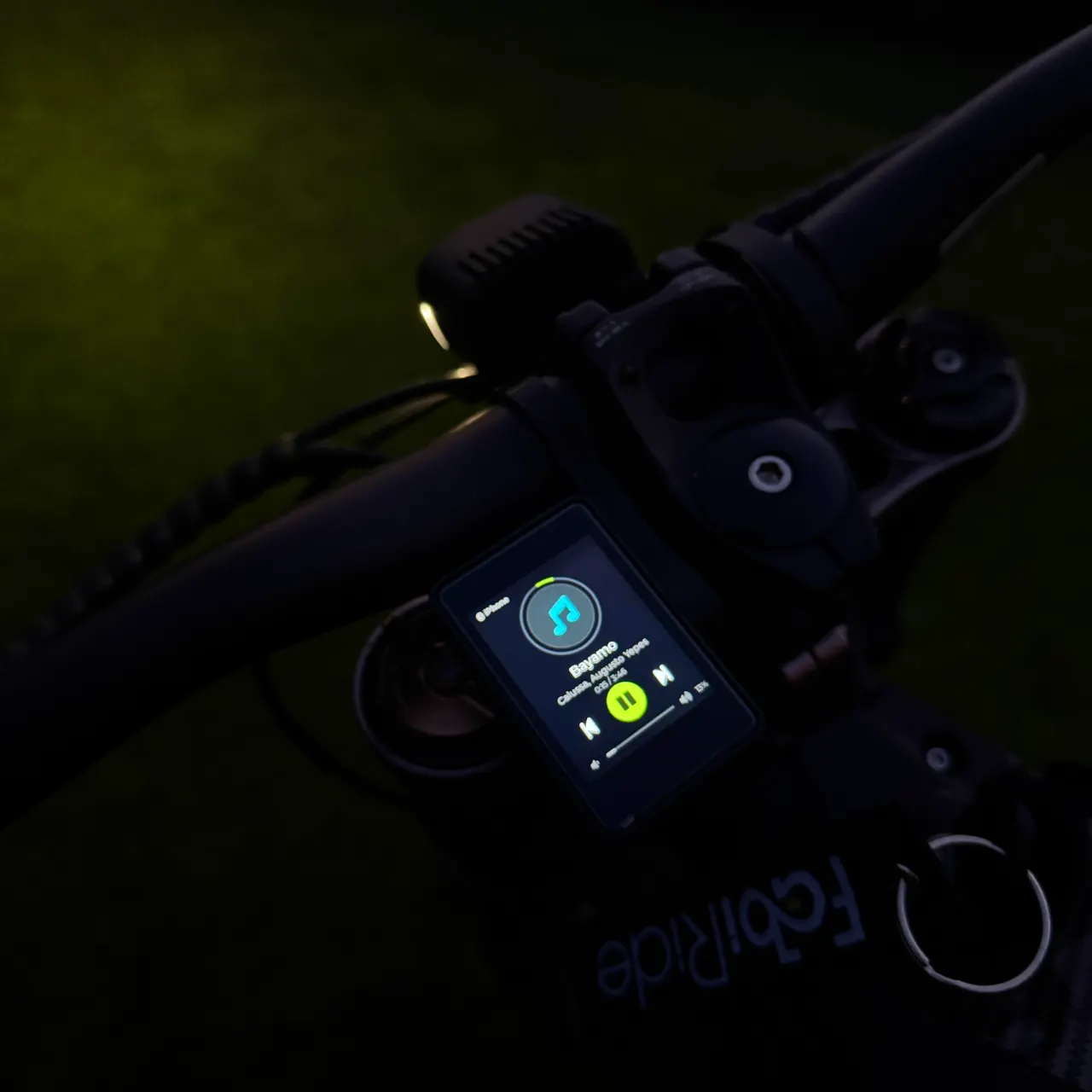
Now playing
Track, artist and album artwork on the display, from whatever app you already listen to. Play, pause, skip and volume from the handlebar buttons, so neither hand leaves the grip.
Incoming calls
A call fills the screen with who is calling. Answer or decline it with a button press. Phone notifications arrive the same way.
Group voice chat
Ride with other people on a six-character room code, push-to-talk from the bars. No separate intercom to buy, no subscription.
Your call, always
Two switches decide whether music appears on the display at all, and whether it appears while the bike is moving. Set it once and forget it.
The FabiRide app
Free on iPhone and Android, and the same account works in any browser at my.fabiride.com. It is where you set the bike up and where you go back to it afterwards: tuning, ride history, riders and wireless updates.
Setup wizard
Five steps from a bike you have never connected to one that is fully set up. It only asks what applies to your bike.
Tune
Up to ten riding maps with their own speed, power, current and regen, plus power delivery and braking feel you reshape by dragging a curve.
Trip
Every ride recorded automatically with the route on a map, full statistics, and a scrubber to replay any moment.
Riders
Add someone by email or by showing them a QR code, then set what that rider is allowed: top speed, power ceiling, which modes, whether they may lift limits at all.
Garage
As many bikes as you own. Switch in a tap; the app reconnects to whichever you rode last.
Backup
Settings, tunes and ride history live in your account, so a new phone loses nothing.
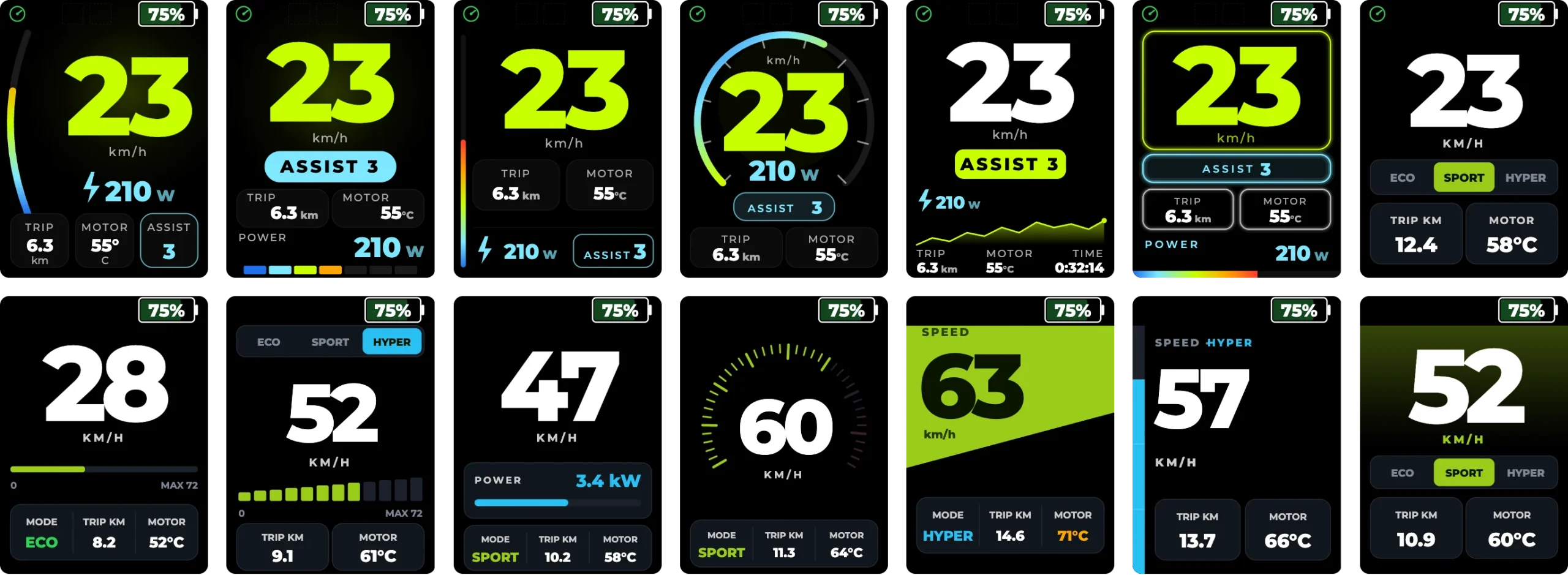
Fourteen dashboard designs
Same information, fourteen ways of reading it. Change it whenever you like, from the app or the bars.
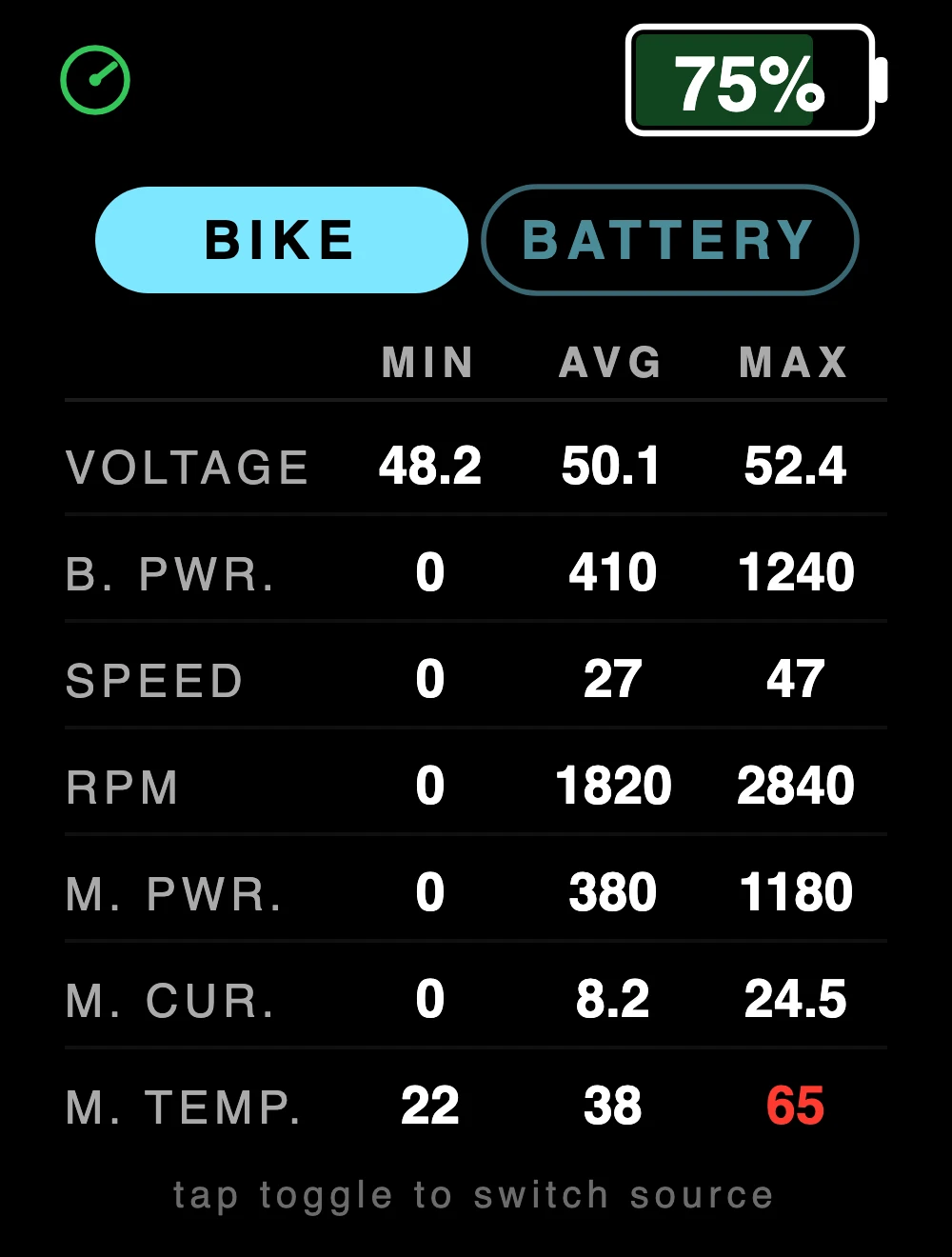
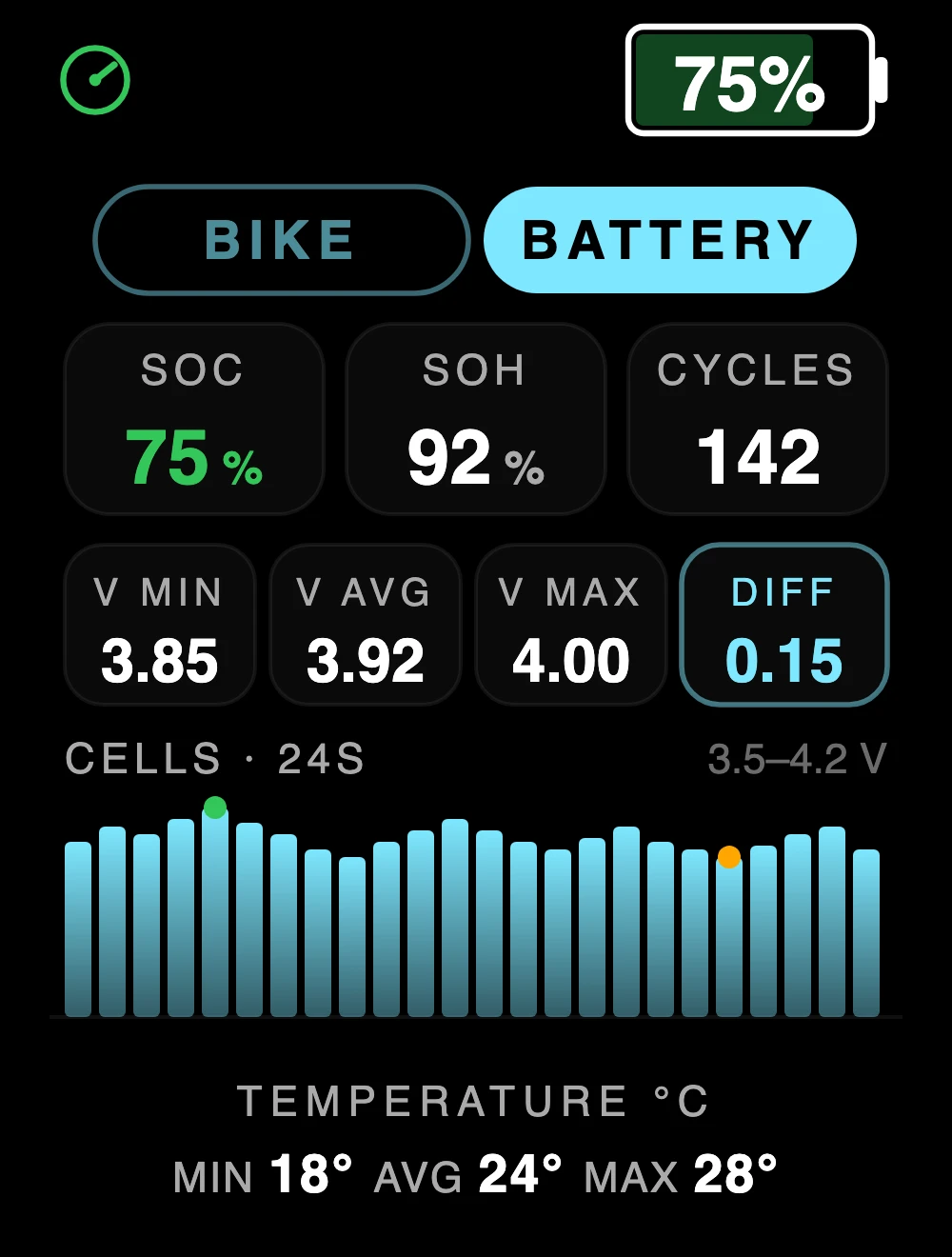
Every number the ride produced
Press past the dashboard for the figures behind it, at the side of the trail, without reaching for a phone.
What else it does
Live map and crew
Swipe from the ride screen to a live map with the trails around you, the line you rode in on and your crew as coloured dots. It can also tell you when to turn back to make it home on the battery you have left.
Tricks and achievements
Land a jump and see your airtime and an estimated distance; put a wheelie down and see how long, how far and how high. Personal bests and the spot on the map go into the app.
Rider assists
Wheelie control with a brake that catches you, drag anti-flip for launches, traction control, and cruise control that only ever releases on the brake lever.
Crash detection with SOS
Power cut and an on-screen countdown. Cancel from the bars, or your emergency contacts get a message and an email with your location. On SiliXcon systems the bike alarm sounds as well.
Family and rider limits
A child can share the same bike at 25 km/h and 2 kW while you ride it at full power. The ceiling is stored on the bike, so their phone cannot defeat it.
Phone as key
Walk up and it unlocks, walk away and it locks. Set the range and keep a backup code.
Navigation and track mode
Turn-by-turn on the display, live lap delta for track days, and an acceleration timer with full run history.
Wireless updates
New features arrive over the air and cost nothing. Three years of development so far, and it is not finished.
What is in the box
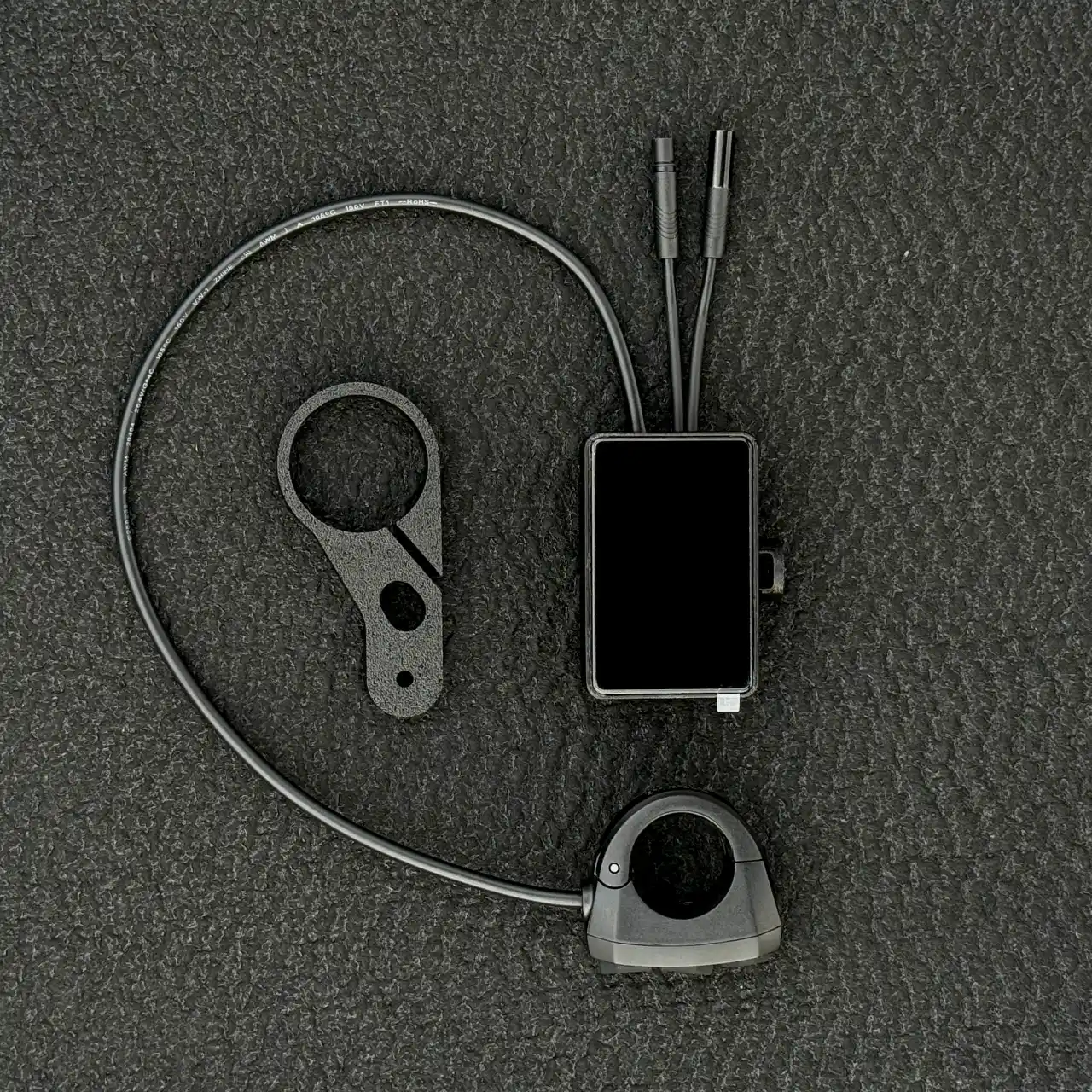
- Dash Pro display unit
- Handlebar bracket
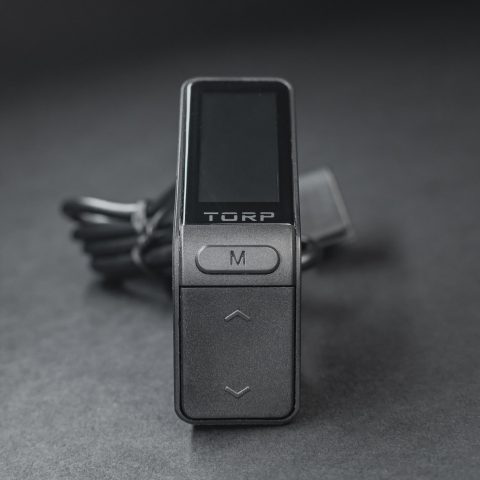
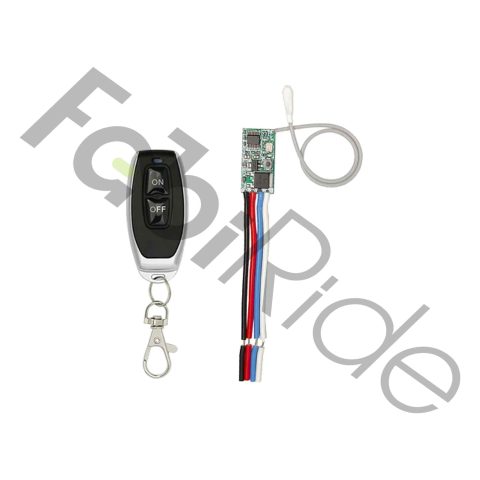
- Three-button remote with its own bar clamp
- Controller leads and connecting cable
The FabiRide app for iPhone and Android is free, and the same account works in any browser at my.fabiride.com.
Fitted in an afternoon, reversible in minutes
- Clamp the bracket where you want to read it.
- Put the remote under your left thumb, next to the grip.
- Plug the two leads into the controller. Nothing is cut and nothing is removed.
- Power on and open the app. The setup wizard finds your controller and only asks what applies to your bike.
No workshop, no soldering, nothing drilled. Take it off and the bike is exactly as it left the factory. The Dash Pro user guide walks through the whole setup step by step, and it is online now if you want to read it before you order.
Installation videos, step by step: Sur-Ron Light Bee X · Talaria Sting MX3 / MX4 · MATE X
Questions before you order
Does a speed limiter work on a stock SurRon Light Bee X?
Yes. The Light Bee’s controller cannot be reprogrammed, so Dash Pro holds the limit in real time instead. The bike will not go past your number, and lifting the limit in the app returns full stock performance immediately.
Does it limit a Talaria Sting?
Yes, on the MX3, MX4, MX5, XXX and Komodo. Talaria models are told apart automatically and each gets its correct riding modes. Wheelie assist and the brake curve need the brake to run through the display, which the MX5 always does and the XXX does when its brake is wired that way.
Can I set it to 25 km/h for the road?
Yes. You can cap the bike to 25 km/h, 45 km/h or any figure you choose, with a matching power cap. Which limit applies to your bike depends on your country and your bike’s class, and checking that is your responsibility.
Do I have to modify my bike to fit it?
No. No cable is cut, no part removed, no controller reflashed and no workshop needed. The display clamps to the bars and two leads plug into the controller. Take it off and the bike behaves exactly as it did before.
Can I control music and answer calls from the handlebars?
Yes. The display shows the track, artist and album artwork, and the three handlebar buttons play, pause, skip and change volume. An incoming call fills the screen and is answered or declined with a button press.
Can I turn the music screen off?
Yes. Two switches decide whether music appears on the display at all, and whether it appears while the bike is moving. Plenty of riders run the display purely as an instrument, and that is a supported setup.
Does it need a phone to work?
Everything you need while riding is on the three handlebar buttons and the touchscreen: riding mode, lights, cruise, reverse, putting the limit back on, trip reset, screens, music, calls and cancelling a crash alert. Your phone stays in your pocket. You use it to set the bike up, tune it, lift a limit and look back at your rides.
Can my child remove the limits I set?
No. Per-rider limits live on the bike, not in their app. Turning the phone off, going offline, reinstalling the app or borrowing a friend’s phone does not lift them, and they apply only to that rider.
What warranty does it come with?
Every Dash Pro carries a 24-month warranty. Register the display to your account when you set it up: that registration is what the warranty hangs off, and it is also what stops anyone else claiming the unit as theirs. What the warranty covers, and the few things it does not, are set out in plain language in the Dash Pro user guide, which you can read in full before you order.
Can I read the manual before I buy?
Yes. The complete Dash Pro user guide is online and open to everyone: setup, every screen, the three handlebar buttons, the limiter, the rider assists, error codes, care and the full terms. Nothing is held back until after you have paid.
Do you ship internationally?
Yes. FabiRide ships worldwide from Lithuania. Shipping is calculated at checkout once you enter your address.
One display. Every bike you own, and every rider on them.*
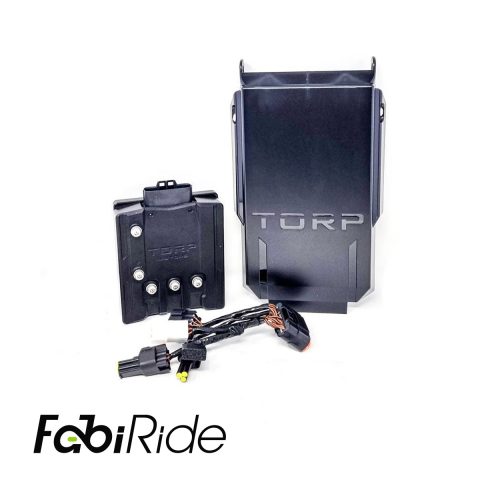
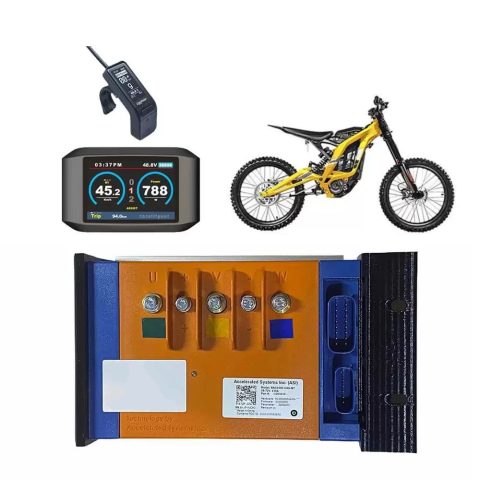
Pick the harness for your controller at the top of this page and add it to your bike. If you are not certain which one you need, send us a photo of your controller first and we will tell you.
Still deciding? Read the complete user guide, every chapter of it, or see the full Dash Pro overview for every screen and all fourteen dashboards at the panel’s own size.
*Moving it to another bike? Only the harness changes.
Full compatibility list: every controller and bike Dash Pro fits
There are no reviews yet.